Travel and flying with smart glasses: the honest guide
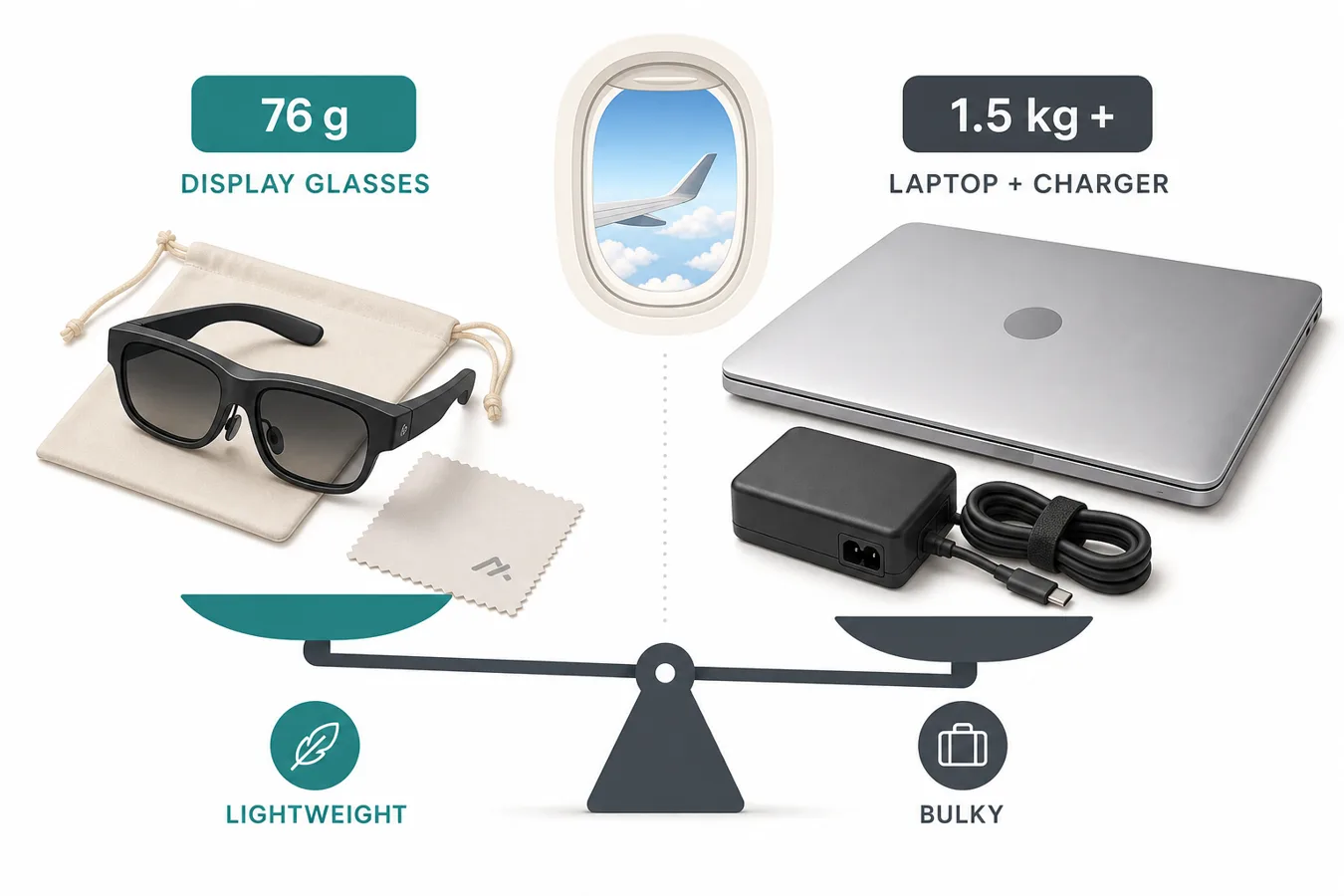
A private cinema screen that weighs 76 grams and fits in a jacket pocket — this is the scenario display glasses were born for, and the one where they beat every alternative. Here's the full travel playbook.
On this page
The seatback screen is five inches of visible-to-everyone mediocrity, the laptop dies at hour three, and the tablet propped on a folded napkin requires a neck you don't have. Into this scene walks a pair of 76-gram glasses that turn your own device into a private cinema nobody can see — and that's before the train, the hotel room, and the back seat of the rental car. Travel is display glasses' strongest scenario; this is the guide to doing it right.
76–84 g
Typical travel pair
vs a 700 g+ monitor
100%
Privacy
no seatmate viewing angles
3DoF
Anchored screen
turbulence-tolerant
1 cable
From your device
USB-C, no adapters
01Why flying is the killer app
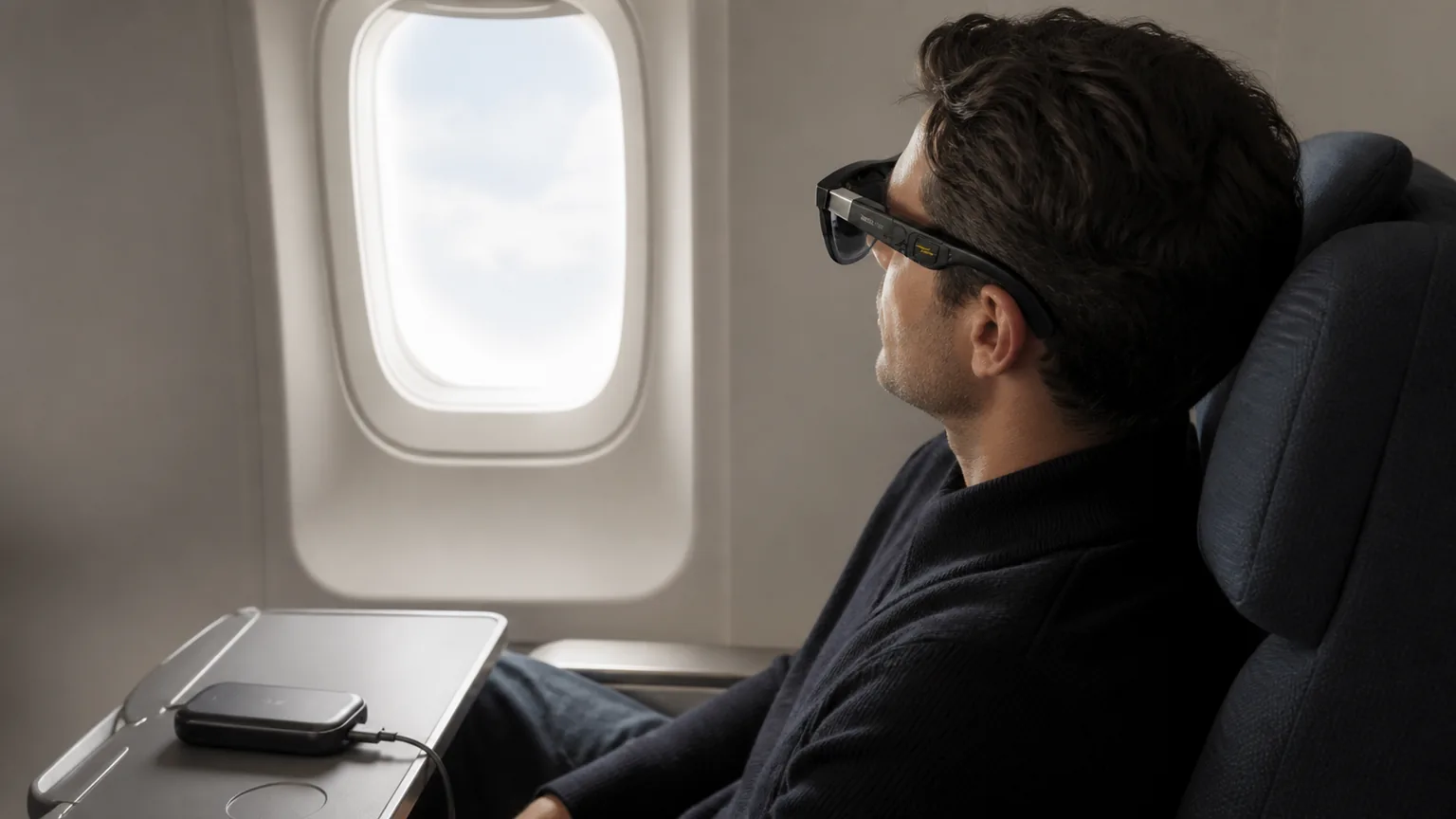
Every weakness of display glasses disappears at 30,000 feet, and every strength compounds. The cable? You're seated — it drapes naturally from head to tray table. The weight? A headrest takes it. The “you look like a cyborg” factor? So does everyone in an eye mask. Meanwhile the strengths — a screen vastly bigger than any seatback, total privacy, zero footprint on the tray table, and content from your own library instead of the airline's — are exactly what air travel lacks. Owner reports converge on the same phrase: “the only way I fly now.” OWNER REPORTS
One regulatory note since people ask: display glasses are electronics-plus-eyewear to airlines — fine at cruise, occasionally collected at taxi and landing like headphones. Camera glasses are a different story: many airlines' crews treat cabin recording unfavorably, and our privacy guide's etiquette (announce, ask, respect bans) applies doubly in a metal tube full of strangers.
02The travel kit, end to end
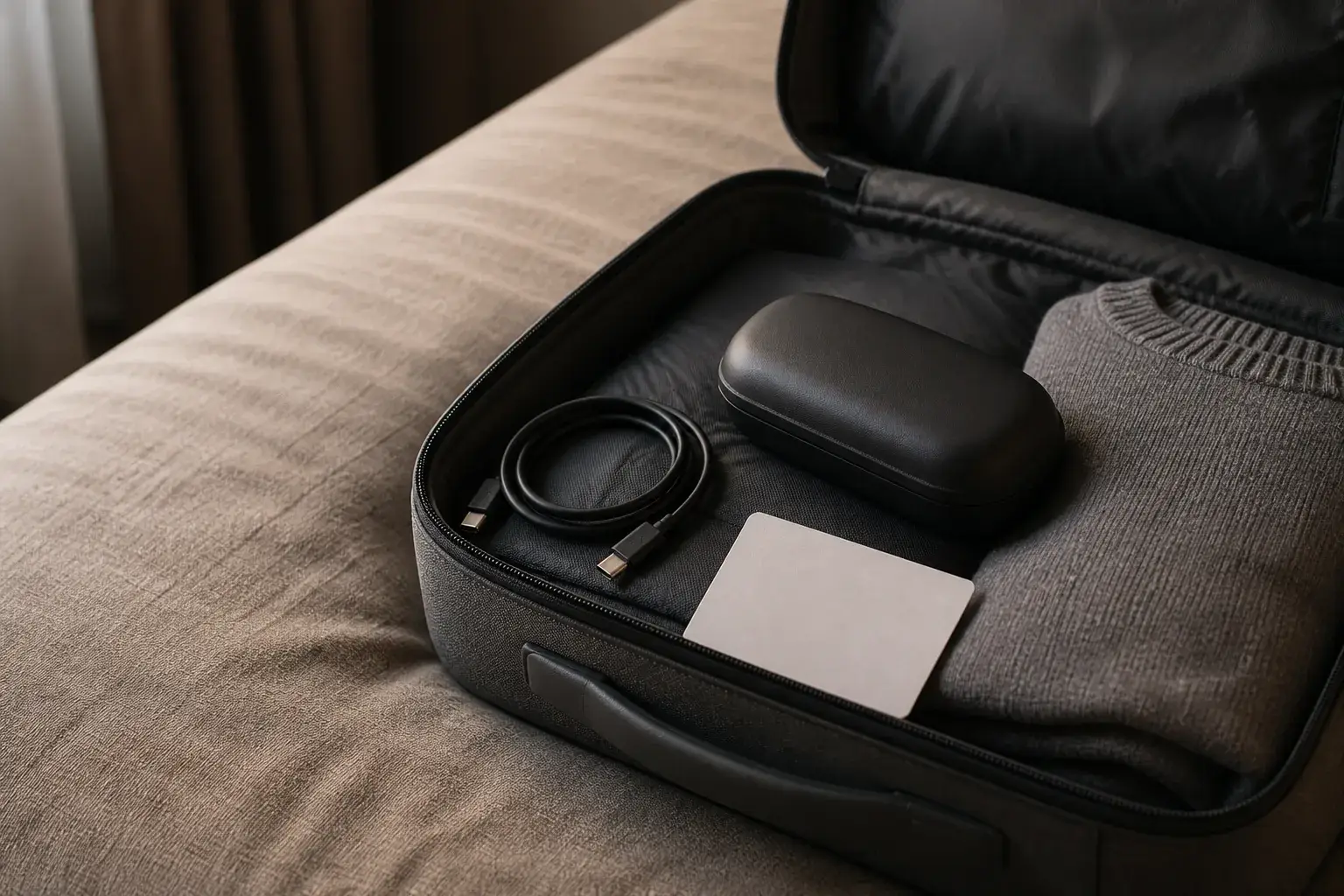
- Glasses: any tethered pair works; anchoring is the feature worth paying for (see picks below).
- Source: USB-C iPhone or iPad (native video apps, big battery), Steam Deck (gaming), or MacBook (work — see our MacBook guide). Lightning iPhones need the clunky two-adapter chain; the iPhone Air can't do it at all.
- Power: a power bank with passthrough for flights over ~3 hours — DisplayPort output roughly doubles a phone's screen-on drain.
- Vision: your inserts installed before the trip, or dials if you're simply myopic — glasses that blur at home blur worse in seat 23B.
- Case: the included hard case fits most carry-ons' pockets; it's the accessory people forget they'll need until the first time glasses ride loose in a backpack.
03Battery strategy (the real constraint)
Display glasses draw from your source device, so “glasses battery life” is actually “phone/iPad battery under video-out load.” Owner reports land in the rough range of a USB-C iPhone driving glasses for roughly 3–4 hours of video; an iPad Pro stretching to 6+; a Steam Deck trading about a quarter of its normal runtime for the big screen. OWNER REPORTS The playbook: charge the source at the gate, run brightness at comfortable-not-maximum (flagship panels at full brightness are needlessly bright in a dark cabin), and keep a 20,000 mAh bank with passthrough for the return leg. AI camera glasses invert the math — their 8-hour battery plus case makes them the simplest travel wearable of all, just for a different job.
Our pick
XREAL One
$399approx.
The safe default: sharp 50° display with spatial smarts built into the glasses.
Check price on AmazonRetailer links may earn us a commission — price approx., check retailer.
04Comfort and motion: the anchoring difference
Two physical realities shape travel comfort. First, weight over duration: three-hour movies reward the 63–76 g tier (VITURE Pro 2, RayNeo line) over the 87–88 g flagships — save the Beast-class immersion for home. Second, motion: a screen glued to your head (mirror mode) amplifies turbulence into your field of view, while an anchored screen (3DoF) stays fixed to the cabin and reads as stable. Motion-sensitive travelers should treat anchor mode as non-negotiable — it's the single biggest comfort upgrade in the category's history, and the DoF guide explains why it works.OWNER REPORTS
Our pick
XREAL One
$399approx.
The safe default: sharp 50° display with spatial smarts built into the glasses.
Check price on AmazonRetailer links may earn us a commission — price approx., check retailer.
05Airline practicalities: what to check with your airline
Airlines do not publish smart-glasses policies; they publish electronics and battery policies, and glasses inherit whatever those say. That is why this section names no airline and quotes no rule verbatim — carrier rules differ and get revised. [VERIFY] each item below against your specific carrier before you fly; policies change and this page cannot track them. The durable, check-with-your-airline list:
- Power banks and battery rules. Passthrough charging is the travel-kit standard, and lithium-battery rules generally keep power banks in the cabin rather than checked luggage — but capacity limits and airline approval requirements vary. Check your carrier's current battery policy and your bank's rating before packing. OUR ANALYSIS
- Seatback-versus-glasses etiquette at taxi and landing. Crews set cabin electronics policy in the moment. The pattern owners report: display glasses are treated like headphones-plus-eyewear at cruise, with some airlines asking for removal during taxi, takeoff, and landing like other electronics. OWNER REPORTS When a crew member says take them off, that is the policy — no argument at 4,000 feet.
- Security screening. Display glasses ride in carry-on like other electronics; whether screening asks them out of the bag varies by airport and country. Camera glasses add a wrinkle — recording devices draw more attention, and our privacy guidecovers where cameras are unwelcome entirely. Keep glasses accessible, be ready to power them on if asked, and follow the screener's instructions.
- In-flight entertainment interplay. Your glasses do not pair with the seatback system — the screen you are replacing is the one you bring content for. Download before boarding; airplane Wi-Fi is for email, not 4K video.
The two-minute version: charge devices at the gate, keep the power bank in your personal item, comply with crew instructions immediately, and check your specific airline's battery policy the day before you fly.
06The best travel glasses
VITURE Pro 2
DisplayThe 2026 budget king: 63 g, diopter dials, 120 Hz — $299.
$299approx.
Launched Aug 2026 (5th-anniversary line)
Best for
Key specs
- Weight: 63 g
- Display: 1920 × 1080, 50° FOV
- Diopter dials: 0 to −5.00 D (myopia; no astigmatism correction)
Pairs well with
- → 10Gbps rated USB-C cable — the included one is short; $12–18
- → Powered DP hub — for Switch 2 / handhelds; $60–100
- → Hard-shell case — the panels don't forgive pockets; $15–25
Accessory links may earn us a commission — same price either way. Prices approx.
Retailer links may earn us a commission — see our affiliate disclosure. Price approx., check retailer for current.
RayNeo Air 4 Pro
DisplayThe value play for 2026: HDR10 panels, 1200 nits, Bang & Olufsen-tuned audio.
$299approx.
Street $299–399 depending on promos
Best for
Key specs
- Weight: 76 g
- Display: 1920 × 1080, ≈46–48° FOV
Pairs well with
- → 10Gbps rated USB-C cable — the included one is short; $12–18
- → Powered DP hub — for Switch 2 / handhelds; $60–100
- → Hard-shell case — the panels don't forgive pockets; $15–25
Accessory links may earn us a commission — same price either way. Prices approx.
Retailer links may earn us a commission — see our affiliate disclosure. Price approx., check retailer for current.
XREAL One
DisplayThe safe default: sharp 50° display with spatial smarts built into the glasses.
$399approx.
List $499, price cut to $399 in Dec 2025
Best for
Key specs
- Weight: 84 g
- Display: 1920 × 1080, 50° FOV
Pairs well with
- → 10Gbps rated USB-C cable — the included one is short; $12–18
- → Powered DP hub — for Switch 2 / handhelds; $60–100
- → Hard-shell case — the panels don't forgive pockets; $15–25
Accessory links may earn us a commission — same price either way. Prices approx.
Retailer links may earn us a commission — see our affiliate disclosure. Price approx., check retailer for current.
Decoded verdict
Travel is the easiest smart-glasses decision
If you fly or train even monthly, display glasses pay for themselves in sanity before the year is out. Pick by weight and vision: Pro 2 for the lightest carry and dial-in myopia correction, Air 4 Pro if dark-cabin movie contrast leads, XREAL One if you want anchoring that works from every device you'll ever carry. Pack the power bank, install the inserts, and enjoy the only seatback screen that's ever been the best screen in the cabin.
Our pick #2
Ray-Ban Meta (Gen 2)
$409approx.
The default AI camera glasses: better battery, 3K video, huge style range.
Check price on AmazonRetailer links may earn us a commission — price approx., check retailer.
Frequently asked questions
Can you use smart glasses on a plane?
What's the best device to pair with glasses on a plane?
Do smart glasses cause motion sickness on planes?
Our pick #2
Ray-Ban Meta (Gen 2)
$409approx.
The default AI camera glasses: better battery, 3K video, huge style range.
Check price on AmazonRetailer links may earn us a commission — price approx., check retailer.