Caption glasses: live subtitles & teleprompters on your lens
The quiet killer app nobody markets: smart glasses that put live speech-to-text captions and scrolling teleprompter text directly in your field of view. Which products actually do it, the deaf/HoH accessibility angle, and the honest limits of glance-sized HUDs.
On this page
- 01 What caption glasses do
- 02 Even Realities G2: the captions reference
- 02 Halliday G2: captions & cheatsheet
- 03 Memomind One: translation confirmed, teleprompter unconfirmed
- 04 XREAL + Beam Pro: bring your own app
- 05 Meta & Android XR: the prospects
- 06 The deaf & hard-of-hearing angle
- 07 Teleprompter & presentation use
- 08 The honest limits
Every smart-glasses launch is about cameras, assistants, and big virtual screens. The use case nobody markets — and the one that quietly works — is captions: live speech-to-text rendered on the lens, and scrolling teleprompter text for presentations. It’s the difference between watching a conversation and actually following it. This guide covers which products do it, the deaf and hard-of-hearing angle, and the honest limits of glance-sized HUDs.
The 30-second answer
Caption glasses are real, and the camera-free HUD category leads. Even Realities G2 has a dedicated live-transcription feature (Conversate) plus a Transcribe mode and a Teleprompt app; Halliday G2 lists “Captions & Translation” under its Meeting Flow; Memomind One confirms real-time translation. XREAL One + Beam Pro can show captions, but only from a source app you install. Ray-Ban Meta Gen 2 has no display, so no on-glass captions. These are communication aids, not medical devices — and accuracy in noise is the biggest unverified question in the category.
No product described here is a hearing aid or medical device. We describe features only and make no medical claims.

01What caption glasses do

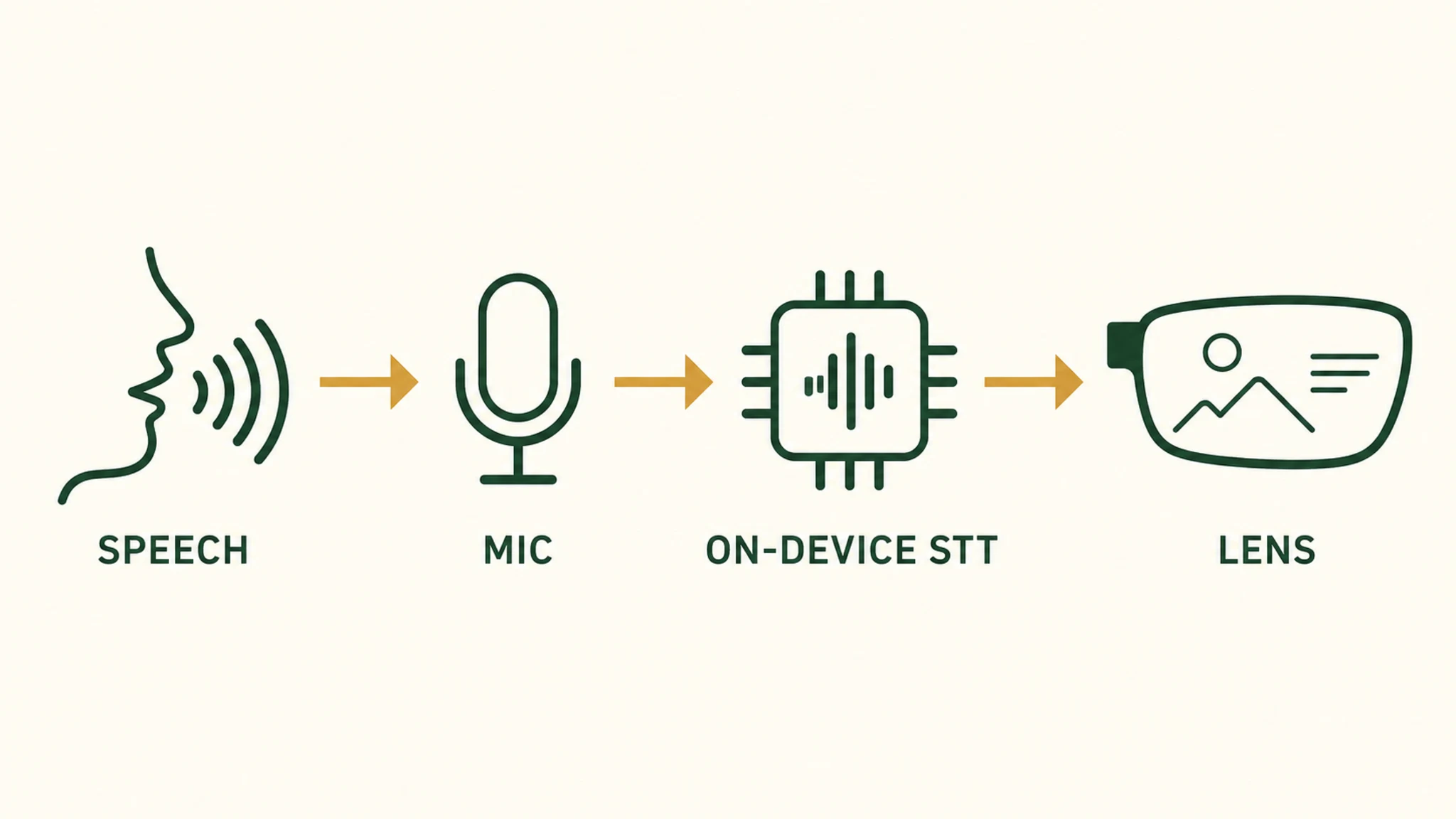
A caption glass is a pair of smart glasses with a small display that renders text in your field of view — typically live speech-to-text of whoever is talking, or a scrolling teleprompter script. The format matters: instead of looking down at a phone to read a live transcription, you keep eye contact and read the words floating at the edge of your vision. OUR ANALYSIS
The products that do this well share a design choice: they’re camera-free HUD glasses. No camera pointing at the room, just a quiet monochrome display and a microphone. That matters in sensitive settings — hospitals, workplaces, classrooms — where camera glasses are unwelcome, and it’s part of why the caption use case feels different from the camera-driven AI-glasses story. OUR ANALYSIS
A teleprompter (also called an autocue) is the same display technology pointed at a different job: a device or application that shows scrolling text so a speaker can read their lines while facing the audience. The same HUD that renders live captions can render a script. OWNER REPORTS
02Even Realities G2: the captions reference
The Even Realities G2 ($599) is the most complete caption glasses package we could verify this session, and it’s the reference point for the category. Its official feature set includes Conversate (live conversation transcription), a Transcribe mode, a Teleprompt app, and Translate (real-time). All four are confirmed on Even’s official site. MFR SPEC
The vendor’s own testimonials describe the lived use: one user relies on Conversate “in noisy social environments to ensure she understands what is being said,” and the Teleprompt app “follows his voice and scrolls.” These are vendor-published claims, not independent measurements — treat them as marketing that describes intended use, not verified performance. OWNER REPORTS
The teleprompter pedigree is real: Palmer Luckey delivered a TED 2025 talk reading off an earlier Even Realities model, in a venue that famously bans teleprompters. That’s a reported anecdote, but it’s the kind of real-world validation the category otherwise lacks. OWNER REPORTS
02Halliday G2: captions & cheatsheet
The Halliday G2 ($499 pre-order / $599 MSRP) lists “Captions & Translation” under its Halliday Meeting Flow, plus a Live Translation feature covering 45+ languages in real time. Both are confirmed on Halliday’s official page. MFR SPEC
Halliday doesn’t advertise a dedicated teleprompter app; its closest feature is Cheatsheet, described as “key notes visible with quiet, auto-scrolling prompts.” That’s a presentation aid in the teleprompter family, just not branded as one. MFR SPEC
Two practical caveats. First, the G2 is a pre-order product at publication — verify current shipping and availability before buying. Second, its Meeting Flow is credit-metered: the Basic tier includes 120 minutes in the first year, with paid tiers (Pro at $19.90 for 600 minutes, Max at $99 for 3,600) for heavier use. Live Translation is unlimited under the “Everyday Essentials” membership, but continuous captioning has a cost ceiling. MFR SPEC
03Memomind One: translation confirmed, teleprompter unconfirmed
The Memomind One ($399, XGIMI) is the value entry in the camera-free HUD category, and its official site confirms real-time translation. What we could not confirm this session is a dedicated teleprompter feature — the assignment expected one, but no source we verified supports it, so we’re flagging it as unconfirmed rather than asserting it. MFR SPEC
For captions specifically, Memomind’s translation capability implies speech-to-text under the hood, but we couldn’t verify a standalone live-caption mode this session. If captions are your primary need, the Even G2 or Halliday G2 are the safer, better-documented choices; Memomind is the budget option with the least verified caption documentation. OUR ANALYSIS
Our pick
Even Realities G2
$599approx.
36 g of magnesium and titanium with a quiet green HUD — glasses first, gadget second.
Check priceRetailer links may earn us a commission — price approx., check retailer.
04XREAL + Beam Pro: bring your own app
The XREAL One series is a display, not a caption device — it shows whatever you feed it. So captions and teleprompter text are possible, but only from a source device running the right app. The XREAL Beam Pro ($199, all configurations) is the natural companion: it’s an Android-based spatial companion compatible with the One and One Pro, which means you can install third-party caption or teleprompter apps from the Play Store. MFR SPEC
The catch: we could not verify any specific caption or teleprompter app this session, and the Android basis itself is reported rather than confirmed on an official spec sheet. So treat this as a “bring your own app” path with real potential and unverified specifics — not a turnkey caption solution. OWNER REPORTS
Our pick
Even Realities G2
$599approx.
36 g of magnesium and titanium with a quiet green HUD — glasses first, gadget second.
Check priceRetailer links may earn us a commission — price approx., check retailer.
05Meta & Android XR: the prospects
Two big names are relevant, and both need careful framing. The Ray-Ban Meta Gen 2 ($409) has no display at all — it’s audio and camera only — so on-glass captions are physically impossible on it. Anyone selling it as a caption device is wrong. OWNER REPORTS
The Ray-Ban Display / Meta ($799 with neural band) does have a monocular 600×600 micro-LED display capable of text overlays, per our product database. But we could not verify any live-caption feature this session, so we won’t claim one exists. It’s a display that could show captions; whether Meta ships that feature is unverified. OWNER REPORTS
And Android XR: as of our 2026-09-12 check, Live Captions is not announced on android.com/xr. The published audio-glasses feature set is search, navigate, capture, and translate — with “coming this fall” language. A captions feature could exist on subpages or support docs we didn’t reach, so we’re stating the absence carefully rather than definitively. MFR SPEC
06The deaf & hard-of-hearing angle
The accessibility story is real, and it’s the most compelling argument for caption glasses — but it needs honest sourcing. Even Realities publishes a USA Deaf Swimming Team testimonial on its official site, describing how the team “relies on Even Realities to keep vital communication visible” with “real-time translations and transcriptions appear[ing] instantly in their field of vision.” OWNER REPORTS
We can confirm the vendor publishes this. What we cannot confirm is the independent real-world usability claim behind it — that’s vendor marketing, not a third-party study. We’re describing the feature set and the vendor’s stated use, not making a medical or clinical claim. OUR ANALYSIS
The pattern across the category is consistent: the camera-free HUD glasses (Even G2, Halliday G2, Memomind One) all position speech-to-text and translation as a core use case, and all three are no-camera designs — which matters in workplaces and other settings where a camera is unwelcome. For deaf and hard-of-hearing users, the value is the same as for anyone: text in your field of view, hands free, eye contact kept. OUR ANALYSIS
07Teleprompter & presentation use

For presenters, the appeal is obvious: a script that scrolls in your field of view while you face the audience, no visible teleprompter hardware. The Even G2’s Teleprompt app and Halliday’s Cheatsheet both target this, and the Palmer Luckey TED anecdote shows the format works in high-stakes settings. OWNER REPORTS
The honest limit: these are monochrome, glance-sized HUDs. They show short text bursts — a few words at a time — not a full TV-style caption wall or a long script you can skim. For a full presentation script, a dedicated teleprompter app on a phone or tablet remains the standard tool. The glasses are best for key notes, talking points, and the occasional glance at a number or name. OUR ANALYSIS
08The honest limits
The category’s biggest open questions are the ones the marketing skips. Accuracy in noise is unverified — no manufacturer we checked publishes error rates for noisy rooms, and the cloud round-trip that powers most speech-to-text adds latency. Even Realities’ own testimonial mentions noisy social environments, but that’s marketing, not measurement. OUR ANALYSIS
Language coverage varies: Halliday claims 45+ languages for live translation, but dialectal and accented speech still trips models, and the same cloud dependency means a data connection is usually required. Battery and credits are the third limit — continuous captioning is a heavy AI workload, and Halliday’s Meeting Flow is credit-metered, so “all-day” claims assume intermittent use. MFR SPEC
And the format itself: a glance-sized monochrome HUD shows short text bursts, not a continuous caption wall. For a full conversation transcript, a phone app with a larger screen still wins. The glasses are best for the moment-to-moment “what did they just say” question, not the “read the whole conversation later” one. OUR ANALYSIS
Decoded verdict
Captions are the killer app nobody markets
Live captions and teleprompter text are the smart-glasses use case that quietly works — and the one the camera-and-assistant marketing buries. If you want to follow conversations or deliver a talk hands-free, the camera-free HUD glasses (Even G2, Halliday G2) are the honest picks, with Memomind One as the budget option and XREAL+Beam Pro as a bring-your-own-app path. Just go in knowing the limits: accuracy in noise is unverified, captions are glance-sized bursts rather than walls, and these are communication aids, not medical devices.