Why Is My XREAL One Blurry? 14 Real Fixes
Blurry text on a XREAL One, One Pro, or 1S is usually an optics-and-fit problem, not a broken-glasses problem. Here are the fourteen causes we can trace — ordered from free to expensive — with the honest line between tuning, class-typical softness, and a unit you should exchange.
On this page
- 01 Vision Correction First: the One Line Has No Diopter Dials
- 02 IPD: the One Pro Size Trap and the One’s Software-Only Answer
- 03 Fit, Nose Pads, and Light Leak
- 04 Settings and Firmware: the Software Half
- 05 Cleaning and Your Eyes: the Boring Causes
- 06 What Normal Looks Like: Edge Softness Is Class-Typical
- 07 When to Stop Troubleshooting and Exchange
You plugged in, the screen lit up, and then the disappointment: text that never quite snaps into focus, edges that smear, a picture that feels soft in a way no product page warned you about. On the XREAL One series — the One, One Pro, and 1S — blur has a short and mostly traceable list of causes. We published this as a research piece, not a bench review: every fix below is grounded in XREAL’s own shop documentation, owner reports, or published eye-care research, and we flag which is which. The fixes are ordered cheapest-first, because the most common causes cost nothing.
The 30-second answer
Three causes explain most XREAL blur. First, uncorrected vision: no model in the One line has diopter dials, so a nearsighted wearer sees a fixed-focus image — prescription lenses are the official fix. Second, IPD mismatch: the One Pro ships in two physical sizes (M 57–66 mm, L 66–75 mm) and the wrong one blurs; the One compensates in software only. Third, astigmatism: sphere-only correction leaves text ghosted. Work the fourteen fixes below in order — and if the center stays soft after all of them, that is exchange territory, not tuning territory.
14
fixes, free first
ordered by cost, not guesswork
$49.90+
official XREAL Rx lenses
One/1S tiers run to $149.90
57–75 mm
One Pro IPD span
two sizes: M and L
30 days
return window
1-year warranty behind it
01Vision Correction First: the One Line Has No Diopter Dials
Start here because it is the most common and the most overlooked cause. The XREAL One, One Pro, and 1S all ship without diopter adjustment dials — XREAL’s shop pages confirm the absence across the entire line. If you are nearsighted or farsighted and you mounted the glasses bare, the optics are presenting a fixed focal plane your eyes cannot resolve. No settings menu fixes this, because it is not a settings problem. MFR SPEC
Fix 1 — Rule out uncorrected refractive error in two minutes. Wear your contact lenses, or sit your own eyeglasses underneath the XREAL frame (the One fits over many eyeglasses for a quick test). If the picture sharpens dramatically, you have found your cause: the glasses need your prescription in front of the panels, and no amount of menu-diving will substitute.
Fix 2 — Order prescription lenses through XREAL’s official service. XREAL sells a “Complete Prescription Service”: One/1S lens tiers run $49.90–$149.90 (1.6 and 1.67 index options, blue-light-filtering variants), and the One Pro has its own lens SKU at $59.90–$159.90 — note the One Pro ships with an empty prescription frame in the box, lenses not included. MFR SPEC
Fix 3 — If you have astigmatism, get cylinder correction, not just sphere. A diopter-equivalent sphere correction sharpens the image halfway; the residual ghosting that remains is usually cylinder. Third-party insert labs market astigmatism support for the One/1S ecosystem — VR Rock explicitly markets its One/1S inserts for myopia, hyperopia, and astigmatism, and Frame of Choice has documented insert ranges spanning +4.00 to −10.00 including up to 4.00 diopters of cylinder (that published range is from its Air-line page; verify the current One-series range with the lab before ordering). The physics of why dials and sphere-only corrections leave astigmats behind is covered in our astigmatism guide, and the full insert landscape lives in the prescription inserts guide. OWNER REPORTS
02IPD: the One Pro Size Trap and the One’s Software-Only Answer
Interpupillary distance — the spacing between your pupils — decides whether each eye receives the center of its panel or an off-axis slice of it. Get it wrong and you get exactly the symptom cluster that sends people searching: blur, ghosting, eye strain. A RayNeo clarity guide puts it bluntly: with wrong IPD settings you can “almost certainly expect blurry images, ghosting, dizziness, and eye strain to happen all at once.” OWNER REPORTS
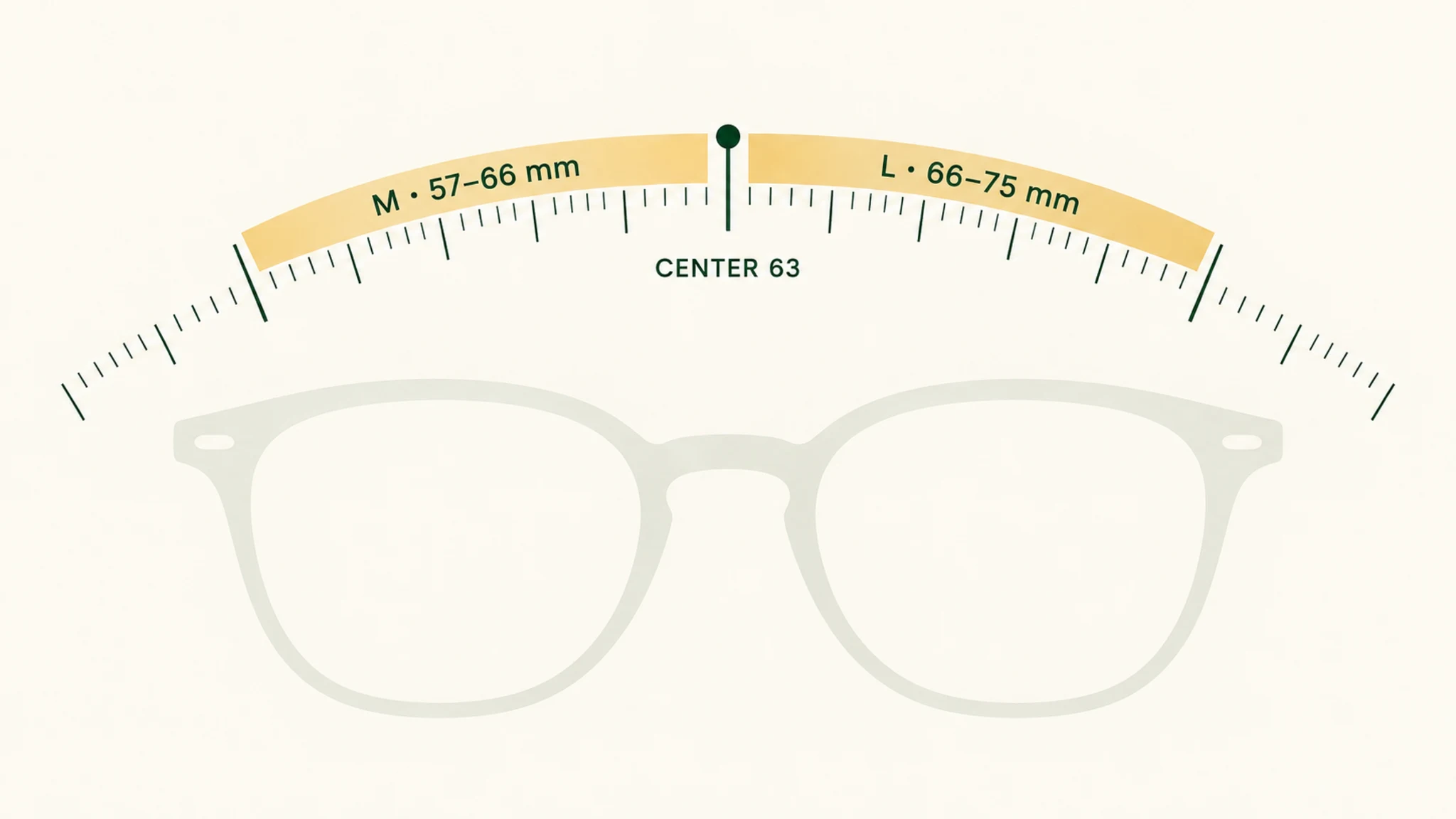
Fix 4 — One Pro owners: verify you bought the right size. The One Pro is the only One-series model sold in physical IPD sizes: M for 57–66 mm (63 mm center point) and L for 66–75 mm. XREAL’s own product copy ties the two-size system to “effectively solving blurring and cut-off edges.” Measure your IPD — our IPD guide covers the measurement — and if you sit within a millimeter or two of a boundary, treat the size choice as load-bearing, because it is. MFR SPEC
Fix 5 — One and 1S owners: use the software IPD adjustment, and know its limits. The One’s spec table lists “Software based IPD Adjustment” — our reading of that wording (analysis, not manufacturer documentation) is that it compensates in rendering rather than physically shifting the optics, so it mitigates a mismatch rather than eliminating one. XREAL does not publish an IPD range for the One or 1S, and we will not invent one; what owners report is that people well outside the comfortable band see edge blur and strain that no menu setting fully removes. If that is you, the honest options are inserts plus realistic expectations, or a model with physical sizing. OUR ANALYSIS
03Fit, Nose Pads, and Light Leak
A display glasses combiner is a precision mirror sitting millimeters from your eye. Tilt it a few degrees and the virtual image lands off-axis — text softens, and ambient light sneaks in around the seal. Fit is not a comfort nicety on these glasses; it is an optical alignment surface.
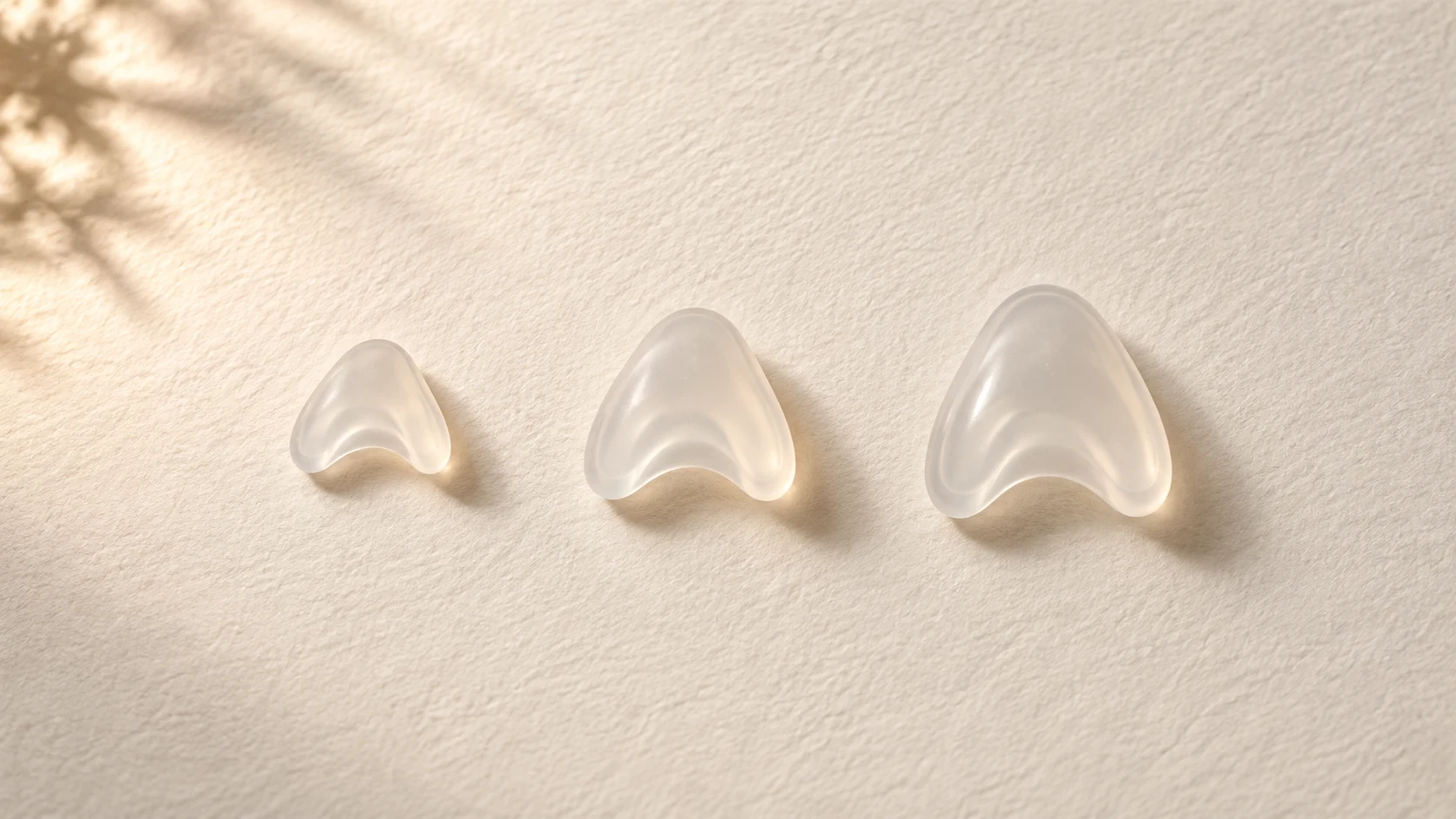
Fix 6 — Swap the nose pads. Every One-series box includes S/M/L nose pads alongside the cleaning cloth — XREAL treats pad choice as a first-class adjustment, and so should you. Too tall or too short a pad tilts the combiner relative to your eye axis (our inference on the mechanism; the S/M/L inclusion is confirmed on the shop pages). If text sharpens when you press the glasses gently toward your face, the pads are the variable. MFR SPEC
Fix 7 — Seat the frame level and check eye relief. The glasses should sit square on your face, not slid down the nose. Optometry practice links poor device fit to increased visual demand, temporary digital eye strain, dry-eye symptoms, and headaches — which is why a “blurry” complaint and a “headachy after 20 minutes” complaint often share one cause. OWNER REPORTS If no pad combination holds the frame level comfortably, that is a fit problem our returns-and-fit guide treats as a return-window issue, not a defect to endure.
Fix 8 — Use the electrochromic dimmer in bright rooms. All three models ship electrochromic dimming with three transparency modes (Theatre, Shade, Clear on the One Pro page). Birdbath optics live or die by contrast: in a bright room, ambient light washes through the combiner and the image grays out long before anything is optically wrong. XREAL’s own FAQ frames outside-light interference as a known image-quality factor — the manufacturer is on record that ambient light interferes. Darken the mode, or the room. MFR SPEC
Our pick
XREAL One
$399approx.
The safe default: sharp 50° display with spatial smarts built into the glasses.
Check price on AmazonRetailer links may earn us a commission — price approx., check retailer.
04Settings and Firmware: the Software Half
The X1 chip in all three models exposes on-glasses display settings, and several of them move perceived sharpness around. None of these fixes rescue a genuine optics defect — but they are free, fast, and worth ruling out before you blame the hardware.
Fix 9 — Update the firmware. XREAL’s shop pages carry a firmware-update callout and its support hub maintains a Firmware Update section, so updates are an official, ongoing path. One honesty note: we found no official document tying a specific firmware release to a specific blur fix, so treat this as hygiene, not a guaranteed cure. MFR SPEC
Fix 10 — Tune screen size, distance, and display mode. XREAL advertises that you can “change your screen size, distance, color temperature and more” from the glasses’ button array. Two settings matter for perceived sharpness: the 3DoF Anchor mode holds the screen still as your head moves — XREAL’s own framing is that Follow mode’s counterpart benefit is “eliminating motion blur as you move your head” — and ultrawide mode, with its 310-inch manufacturer claim, stretches the same 1080p panel across more visual real estate, lowering sharpness per degree. Bigger screen, softer text: that is arithmetic, not defect. MFR SPEC
Fix 11 — Match the source resolution and scaling. The One and One Pro panels are 1080p per eye; the 1S steps up to 1920×1200 per reporting around its CES 2026 launch. Feeding a lower resolution or running non-native scaling softens text on any of them. Our Windows compatibility guide recommends 125–150% scaling on the glasses display for readable text — a Windows laptop driving the panels at 100% with a mismatched resolution is a classic “everything looks slightly soft” report. OWNER REPORTS
Our pick
XREAL One
$399approx.
The safe default: sharp 50° display with spatial smarts built into the glasses.
Check price on AmazonRetailer links may earn us a commission — price approx., check retailer.
05Cleaning and Your Eyes: the Boring Causes
Fix 12 — Clean both optical surfaces properly. Every One-series box includes a cleaning cloth, which tells you how common this cause is. Skin oil on the combiner — the mirror you are unknowingly touching every time you handle the glasses — scatters light exactly like a smudge on a camera lens: haze, ghosting, softened text. Breathe lightly and use the cloth; nothing abrasive, nothing wet that can wick into the optics. MFR SPEC
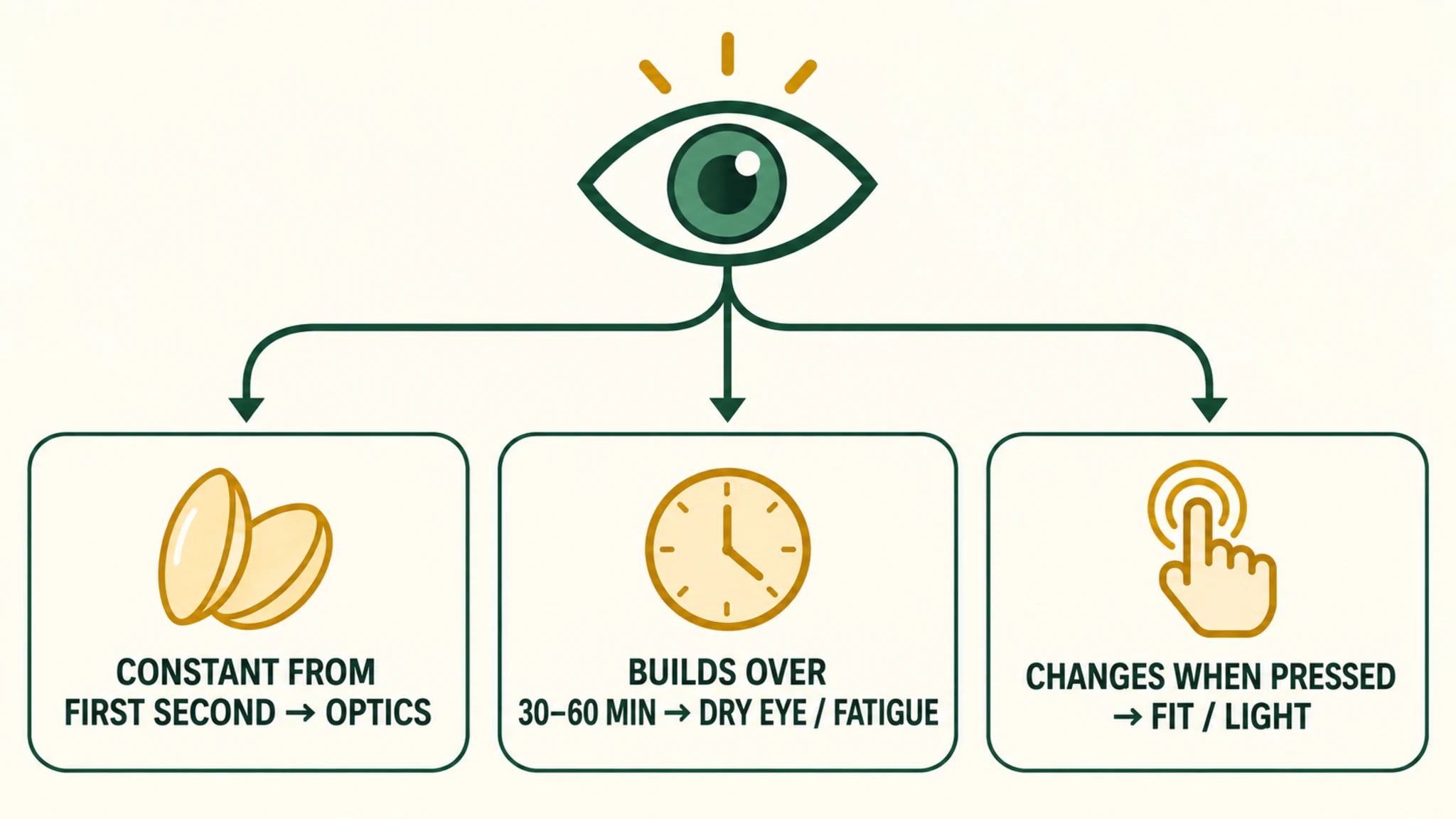
Fix 13 — Rule out dry eyes and fatigue. Blur that worsens over a session and resets after a break is often your tear film, not the panels. Peer-reviewed work on smart glasses and visual strain (Herold et al., 2024) documents measurable eye-strain effects from head-worn displays, and Even Realities’ own safety guidance frames temporary eye strain as the most common downside of display glasses — temporary, not permanent. Blink, rest, hydrate, and re-test before concluding the optics are at fault. Our eye health guide covers the strain-versus-damage distinction. OWNER REPORTS
06What Normal Looks Like: Edge Softness Is Class-Typical
Now the expectation-setting section, because it prevents the most expensive mistake in this category: exchanging good units repeatedly. Wide-FOV birdbath and prism optics trade edge sharpness for field of view — that is the physics of the class, not a XREAL defect. Owner reports describe it across brands: insert wearers noting that correction “doesn’t really fully resolve the picture, there is still blurriness along the edges,” and Rokid diopter-dial owners reporting that even dialed-in myopia leaves them “not achieving edge to edge sharpness.” OWNER REPORTS
XREAL’s marketing counters with the X1 chip’s “Distortion-Free Visuals” and “exclusive algorithms” — that is manufacturer marketing language, and you should weigh it accordingly. The One Pro’s wider 57° X Prism view trades more peripheral softness for more immersion; AppleInsider’s review of the optics makes the same trade explicit. The working rule we would give any buyer: center-sharp with softer edges is class-typical; sudden or persistent center blur is the defect signal. Judge your unit at the center, with corrected vision, at native resolution, in a dimmed room. OUR ANALYSIS
07When to Stop Troubleshooting and Exchange
Fix 14 — Exchange the unit. Display glasses have real unit variance, and owner reports document it plainly: in one r/Xreal comparison thread from February 2026, one 1S owner described a unit “slightly out of focus and blurry even in the center of the image” while another owner in the same discussion reported “great, edge-to-edge sharpness, including with text.” Same model, different units, different outcomes — that is the signature of manufacturing variance, and no amount of menu-tuning fixes a weak optic. OWNER REPORTS
The escalation path is straightforward and confirmed on XREAL’s shop pages: a 30-day return window and a 1-year warranty. Run the cheap fixes first — vision, IPD, pads, dimming, cleaning, scaling — because they are free and they rule out the causes an exchange would not fix anyway. But if the center of the image stays soft on a second known-good source, with corrected vision and the right One Pro size, stop troubleshooting and use the window. Our returns-and-fit guide covers how to sequence inserts, returns, and exchanges so you are not paying for lenses on a unit you are about to send back. MFR SPEC
One vs One Pro: which optics class you bought → accessories that change the fit equation →
Decoded verdict
Blur is a diagnosis before it is a defect
Fourteen causes, one triage logic. Uncorrected vision, IPD mismatch, and astigmatism explain the majority of “my XREAL is blurry” reports, and all three are correction problems, not hardware problems. Fit, light, settings, and cleaning are free and fast. Edge softness is the class’s trade, not your unit’s flaw. What remains — persistent center blur on a corrected, correctly-sized, cleanly-driven setup — is what the 30-day window exists for.
We are a research publication, not a hands-on review outlet: the per-model facts above come from XREAL’s own shop documentation retrieved September 2026, the owner-experience claims are labeled as owner reports, and the two inferences (software IPD behavior, nose-pad tilt mechanics) are labeled as ours. Where the evidence is thin, we said so instead of papering over it.