Ray-Ban Meta Troubleshooting: Pairing, Battery, Reset
The three complaints every Ray-Ban Meta owner eventually searches — won’t pair, battery draining, needs a reset — traced to official Meta and Ray-Ban documentation first, owner reports second, and clearly labeled inference never presented as fact.
On this page
Ray-Ban Meta glasses are the best-selling AI glasses on the market, which means they are also the most-troubleshot. The good news: the three complaints that dominate owner forums — pairing failures, battery anxiety, and mystery misbehavior — have documented, mostly-official fixes. This guide orders them the way a support technician would: requirements first, then the pairing flow, then the failure modes, then battery reality, then the two resets that solve what nothing else does.
The 30-second answer
Three fixes solve most Ray-Ban Meta complaints. Pairing trouble: forget the glasses in your phone’s Bluetooth settings and pair from inside the Meta AI app (not Meta View — it was renamed in April 2025), after charging the glasses fully. Battery trouble: the official 8 hours assumes moderate use — heavy use lands nearer 4, and the case’s 48-hour reserve plus the 20-minute-half charge is the real mitigation. Anything else: power-cycle first, factory reset second — the reset wipes your captures and account link, so it is the last resort, and the required step before selling.
Retailer links may earn us a commission — check retailer for current pricing and compatibility with your model.
8 h / 48 h
Gen 2 official battery
glasses / case reserve, moderate use
50% in 20 min
Fast charge
official Gen 2 figure
12 s
Pairing-mode hold
arms folded, capture button
Android 10+ / iOS 14.4+
Phone requirements
Meta dev docs cite iOS 15.2+
01Setup Requirements: the App Renamed Itself
Most “my glasses won’t connect” searches start one step before the problem: the requirements. Current as of September 2026, per Meta’s developer documentation and Ray-Ban’s official checklist: a smartphone running Android 10 or newer (with location services enabled) or iOS 14.4 or newer (Meta’s developer docs cite iOS 15.2+ — we state both rather than pick one), a valid Meta account, wireless internet access, and a USB-C plug if you charge the case from an outlet. The glasses are rated ages 13+. MFR SPEC
The app itself is the perennial trap. The Meta AI mobile app replaced the old Meta View app in April 2025 — Meta’s developer FAQ now states flatly that “the Meta AI app must be used to pair your glasses.” If you installed something called Meta View from an old tutorial, you are running dead software: some regional retailer pages still reference it, but the pairing flow and firmware updates live in the Meta AI app. MFR SPEC
02Pairing: the Official Flow, Step by Step
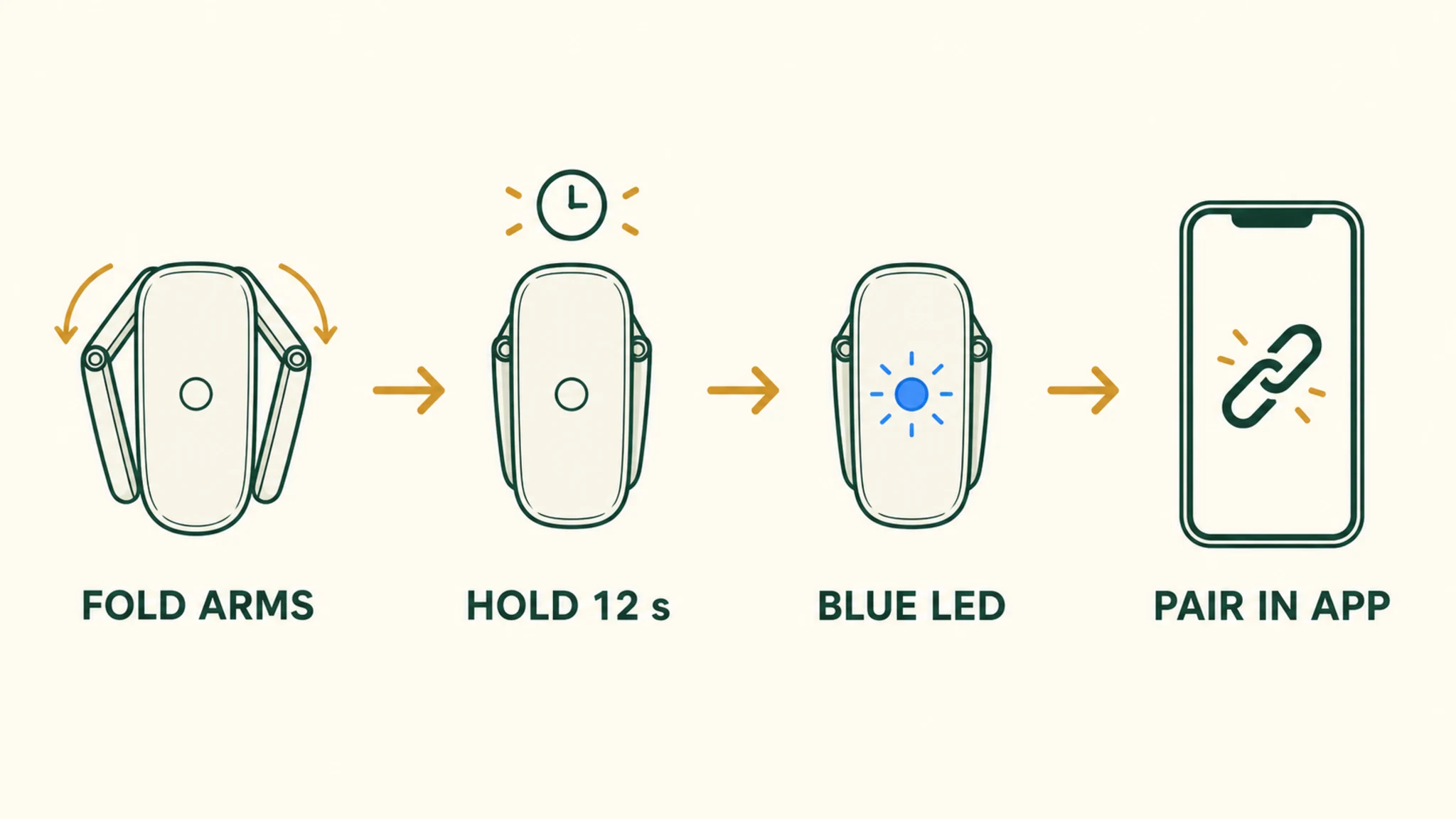
The officially documented sequence, assembled from Meta’s help pages and the Oakley Meta FAQ (which runs the same platform): install the Meta AI app and sign in with your Meta account; grant the Bluetooth and location permissions it requests — location is mandatory on Android, not a dark pattern you can decline. MFR SPEC
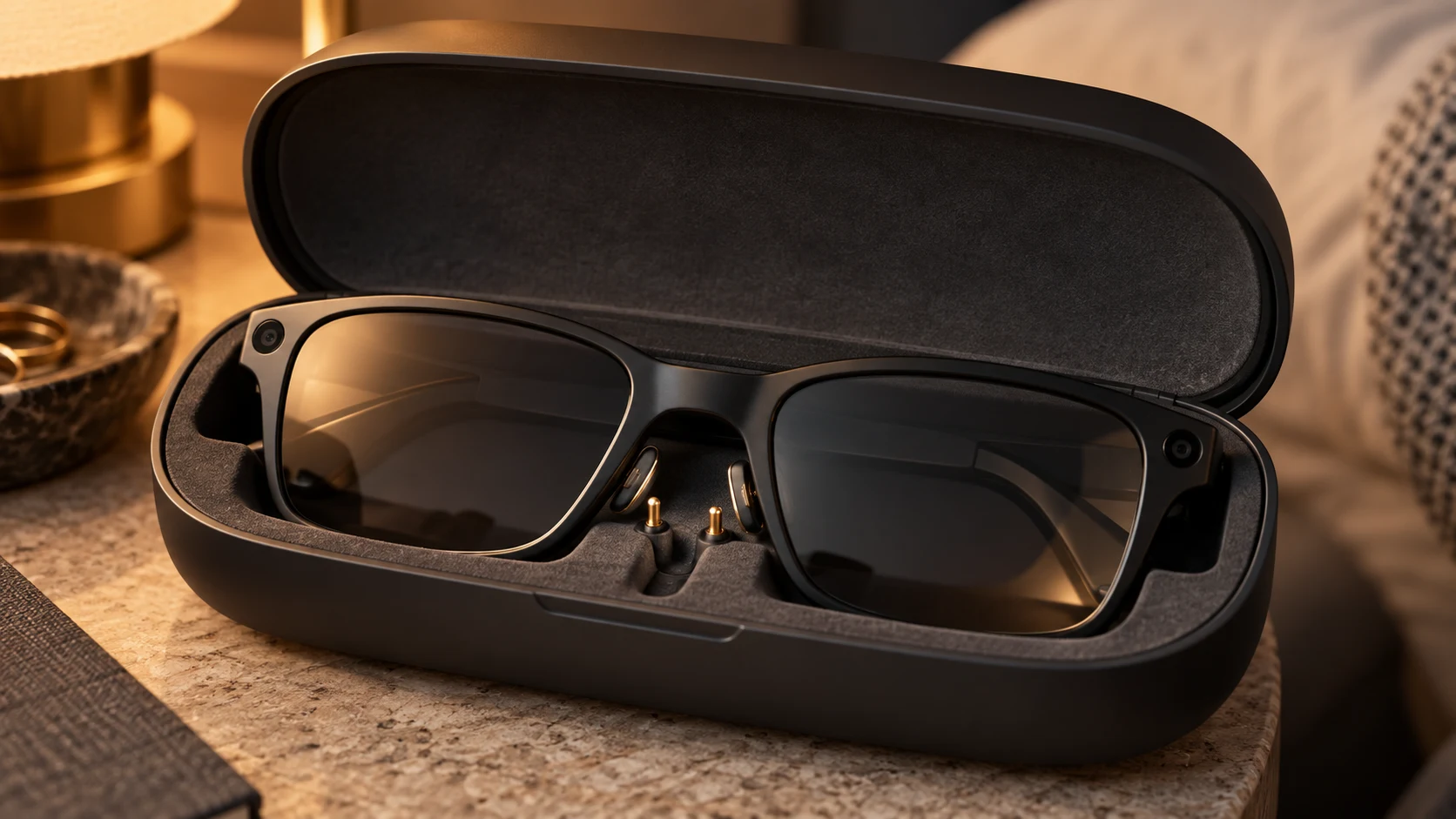
Put the glasses into pairing mode: fold both arms and hold the capture button on top of the frame for about 12 seconds, until the LED on the inside of the frame blinks blue. Then complete the pairing inside the app. When you later unpair or re-pair, Meta’s guidance is case-based: seat the glasses in the charging case so the nose-bridge contacts touch the charging port — the case is part of the pairing topology, not just a battery. MFR SPEC
One architecture note that explains half the confusion in owner threads, from a Meta support response: pairing via the phone’s Bluetooth settings menu only establishes the audio connection. The full pairing the glasses need is BLE-based and happens through the app. This is why the glasses can appear “connected” in settings while the app insists nothing is paired. OWNER REPORTS
03Pairing Failures: the Fixes That Actually Work
The failure modes below come from Meta’s support forum and owner reports — labeled as such, because that is what they are. They are ordered by how often each one solves the problem in practice.
1 — The app doesn’t detect the glasses. Charge the glasses for at least an hour first (pairing on a low battery is a documented failure mode — the LED loop you see is low power, not a fault), then forget the device in your phone’s Bluetooth settings, then pair fresh through the Meta AI app. OWNER REPORTS
2 — “Paired” in Bluetooth settings, invisible in the app. The classic half-pairing described above. Forget, then re-pair through the app only. OWNER REPORTS
3 — The glasses won’t enter pairing mode. The fold-and-hold method is the official one; support replies also describe a case-button alternative — hold the charging case’s button until the case pulses blue, with the glasses seated. That variant is documented in support responses rather than the main help pages, so treat it as the fallback. OWNER REPORTS
4 — Corrupted state after a failed update. Delete and reinstall the Meta AI app, then pair as new. Community threads also describe sideloading older app versions as a workaround — we do not recommend that path; the reinstall is the supported equivalent. OWNER REPORTS
5 — Gen 2 not powering on at all. Verify the nose-bridge contact with the case’s charging port (the official re-seating guidance), try a different USB-C cable and outlet, and give the glasses a full hour before judging. Charging-contact misalignment is the most common “dead glasses” diagnosis in owner threads. OWNER REPORTS
Our pick
Ray-Ban Meta (Gen 2)
$409approx.
The default AI camera glasses: better battery, 3K video, huge style range.
Check price on AmazonRetailer links may earn us a commission — price approx., check retailer.
04Battery: the Official Numbers and the Honest Ones
The official figures, from Meta’s own help and legal disclosure pages: Ray-Ban Meta Gen 2 lasts up to 8 hours for moderate usage, and the fully charged case provides up to 48 hours of additional charging — the legal disclosures page confirms 48 hours for Gen 2 versus 32 for Gen 1. A 20-minute fast charge takes the glasses to 50%. The battery is not user-replaceable in either glasses or case, but a replacement charging case can be ordered separately. MFR SPEC
The honest numbers: reviewers and owners consistently land nearer four hours under heavy mixed use — loud volume, continuous music streaming, frequent Meta AI queries, video capture. That is not a scandal; it is what “moderate usage” means in the official claim. The owner-reported drain factors are volume level, streaming versus downloaded audio, camera time, AI-query frequency, and notification volume. REVIEWS
Mitigations, labeled as our inference where they are ours: lower the volume, prefer downloaded audio where the app supports it, keep the glasses in the case when not wearing them (the case charges them passively — that is its design), and use the 20-minute fast charge before outings instead of chasing 100%. The charging-behavior details owners document: the case prioritizes the glasses when both are plugged in, topping itself up after the glasses reach full. OUR ANALYSIS
For the category-wide picture — including how tethered display glasses drain your phone instead of carrying their own battery — see our battery-life claims-vs-reality guide. OUR ANALYSIS
Our pick
Ray-Ban Meta (Gen 2)
$409approx.
The default AI camera glasses: better battery, 3K video, huge style range.
Check price on AmazonRetailer links may earn us a commission — price approx., check retailer.
05Restarts and the Factory Reset: What Each Actually Clears
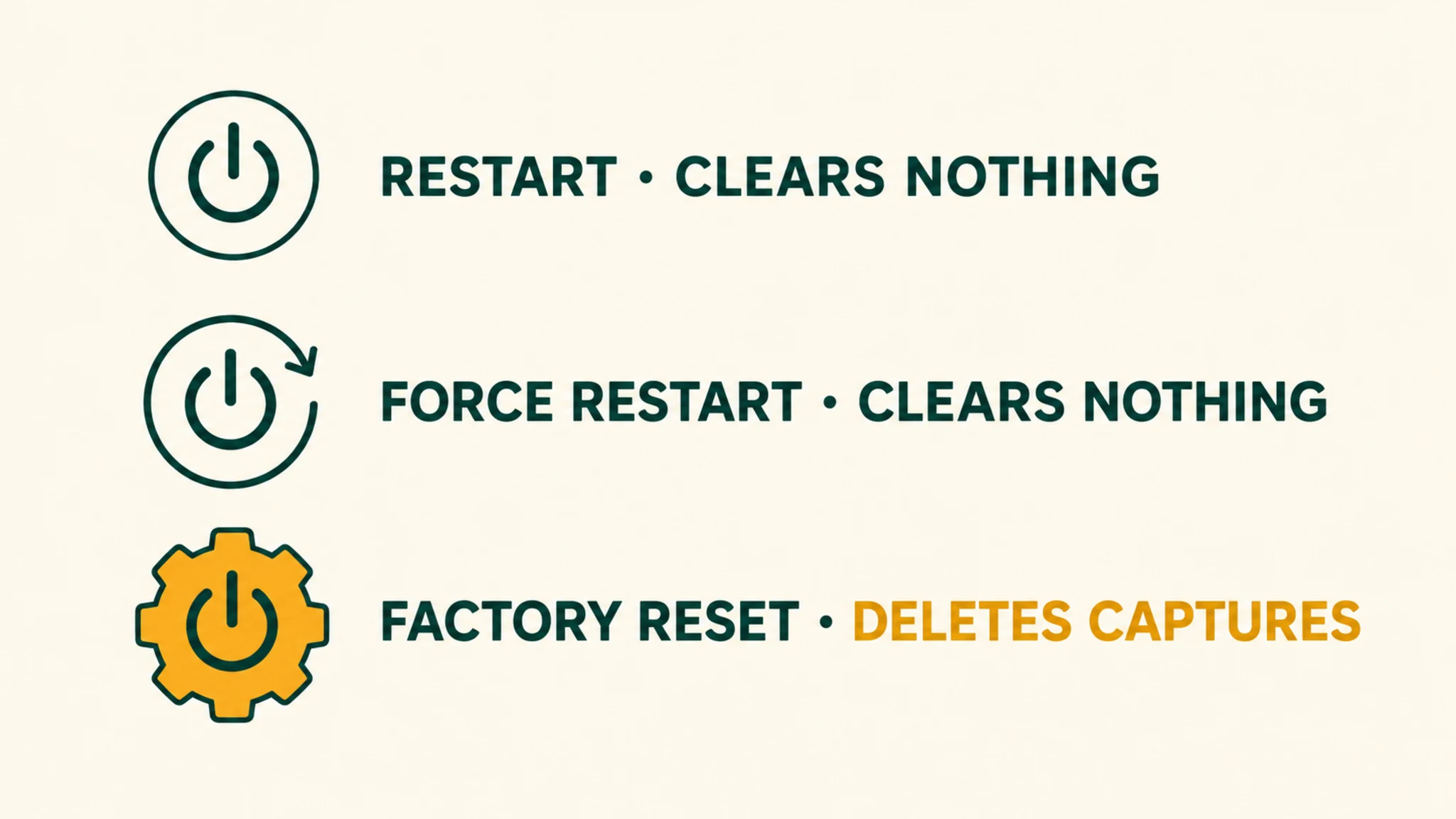
There are three levels, and the differences matter because the deepest one deletes your photos.
Restart (soft). Slide the power switch off, then back on. Reboots the glasses, clears nothing. Officially documented, solves the routine freeze. MFR SPEC
Force restart. For frozen glasses: press and hold the capture button while toggling the power switch off and on, releasing when the LED flashes green. Also clears nothing — it is a hardware-level reboot. The Ray-Ban Display and Neural Band have their own officially documented force-restart procedure. MFR SPEC
Factory reset. With the glasses out of the case, charged, and powered on: fold both arms closed, press the capture button five times, then hold it until the LED flashes orange and white. Release and wait out the LED sequence — white, blinking white, solid green, off. This removes personal data, deletes all captures, unlinks your account, and clears pairings and settings. It does not fix hardware faults and does not reinstall firmware. MFR SPEC
06When to Stop Troubleshooting and Escalate
The line between a settings problem and a hardware problem is narrow and clean: if the glasses fail identically after a full charge, a clean app reinstall, and a factory reset — on a phone that meets the official requirements — no fourth setting exists to try. Charging failures that persist across cables and outlets, one dead speaker, or a capture button that no longer click are hardware conversations. OUR ANALYSIS
Meta’s help center maintains the canonical articles — pairing, battery, charging, both resets, and the replacement-case process — and the warranty path runs through the retailer or Meta support depending on where you bought. Our returns-and-fit guide covers sequencing a return window so you are not left guessing; our Meta glasses guide covers whether the Gen 2 is even the right buy if you are still inside yours. OUR ANALYSIS
what the glasses can do without your phone nearby → the camera-privacy settings worth checking after any reset →
Decoded verdict
Charge it, forget it, pair it through the app — in that order
The pairing architecture explains the fixes: the app owns the real pairing, the case is part of the topology, and the battery you should plan around is four heavy hours, not eight moderate ones. When all of that fails, the factory reset is a documented, finite procedure that wipes your captures — export first, sell only after. Almost everything else owner threads blame on “firmware” is one of those five pairing fixes wearing a costume.
Provenance, plainly: the procedures and battery figures above come from Meta, Ray-Ban, and Oakley official documentation retrieved September 2026; the failure modes come from Meta’s support forum and owner reports, labeled as reports; and the mitigations that are our reasoning are labeled as inference. Where the official iOS minimum conflicts between Meta’s own pages, we printed both numbers instead of choosing.