AR Glasses No Signal? The Fix Decision Tree
A dark screen on tethered AR glasses almost always traces to one of a short list of causes — and the order you check them decides whether this takes five minutes or a weekend. This decision tree runs from the free checks to the buy-your-way-out paths, with the Switch 2 power trap and the phone-compatibility wall explained.
On this page
- 01 The Decision Tree: Run the Checks in This Order
- 02 Cause #1: a Source Without DisplayPort Alt Mode
- 03 Cables and Ports: the Silent Killers
- 04 Hubs and Power: the Switch 2 Lesson
- 05 Per-Device Quirks: Windows, Steam Deck, Phones, Consoles
- 06 Firmware and the Two-Minute Isolation Test
- 07 When It’s Hardware: Exchange and Support
The glasses are on your face, the cable is plugged in, and the screen in front of your eyes is a flat, unhelpful black. Tethered AR glasses are USB-C monitors wearing a frame, which means “no signal” is almost never mysterious — it is one of a short list of causes, and the list has a natural order. This guide is that order: a decision tree you run top to bottom, from the free two-minute checks to the hardware endgame. We are a research publication, not a repair shop, so every claim carries its tier — manufacturer documentation, owner reports, or our own labeled analysis.
The 30-second answer
Run the checks in probability order: (1) confirm your source actually outputs DisplayPort Alt Mode over USB-C — the single most common cause; (2) swap to the included cable or a rated 10 Gbps cable; (3) confirm you are in a video-capable port, not a charge-only one; (4) audit any hub in the chain — Switch 2 TV mode needs dock-class power; (5) on Windows, press Win+P and extend; (6) update firmware; (7) test on a second source before blaming the glasses.
Retailer links may earn us a commission — price approximations based on September 2026 observations; check retailer for current pricing.
8
checks, in order
probability, not convenience
$39.99
XREAL Hub (shop, Sep 2026)
45W, 120 Hz passthrough
$99
XREAL NEO
hub + 10,000 mAh battery
30 days
return window
1-year warranty behind it
01The Decision Tree: Run the Checks in This Order
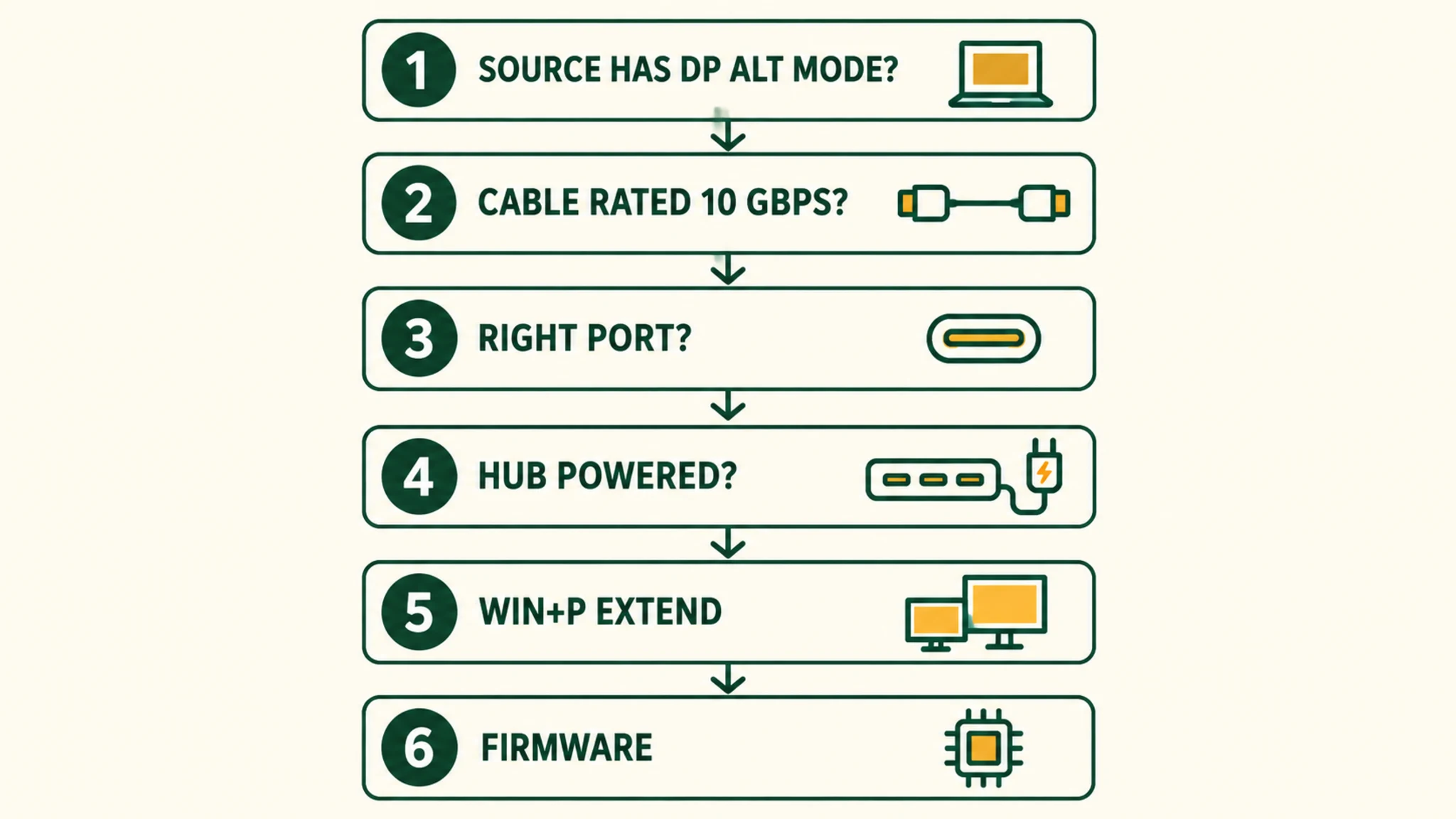
The order matters because the causes are not equally likely and not equally cheap. A cable swap costs nothing; a hub purchase does not. Checking source capability first prevents the most expensive mistake in this category — buying adapters for a source that was never going to cooperate.
The tree, top to bottom
- 1. Triage the power state. Nothing lights up at all — no LED, no dimming flicker — points at cable, port, or power (steps 3–4). Powered but dark points downstream; continue.
- 2. Does the source speak DisplayPort Alt Mode? iPhone Air and Lightning iPhones: no. PS5/Xbox USB-C ports: no. Switch and Switch 2: only with dock-class power. Unclear phone or PC: verify against our compatibility guides before buying anything.
- 3. Swap the cable. Use the included USB-C cable or a rated 10 Gbps video cable — charge-only cables are the classic silent failure.
- 4. Audit the hub chain. Charge-only hub: replace with a DisplayPort-passthrough hub. Switch 2: powered hub or battery unit, non-negotiable. Crowded chain: strip every other peripheral out.
- 5. Configure the OS. Windows: Win+P → Extend. SteamOS: check display settings. Android: find the display-out toggle. macOS: usually automatic.
- 6. Update firmware through XREAL’s support path.
- 7. Isolate. Test the glasses on a second known-good source. Works there: the fault is upstream — loop back to steps 2–5. Fails everywhere: hardware.
- 8. Hardware endgame. HDCP-capable adapter for console chains, port-damage inspection, then the 30-day return window or 1-year warranty.
The sections below expand each node with the specifics — what counts as evidence, what each fix costs, and where the reporting ends and our inference begins. OUR ANALYSIS
02Cause #1: a Source Without DisplayPort Alt Mode
Display glasses are USB-C monitors. They need a source port that carries DisplayPort Alt Mode — the protocol that turns a USB-C port into a direct video output. If the source lacks it, no cable, hub, or setting will ever produce a picture, because the wires for video either do not exist or are not switched to that job. This is the cause to eliminate first, and it is the one most likely to end the troubleshooting session with a shopping decision rather than a fix. Our DisplayPort Alt Mode explainer covers the protocol in depth. OUR ANALYSIS
What counts as a compatible source? XREAL’s own hub compatibility table lists the reference set: Switch, Switch OLED, Steam Deck, Steam Deck OLED, ROG Ally, and smartphones with a DP-enabled USB-C port. The same table explicitly marks Lightning iPhones as not compatible. That is manufacturer documentation, and it is the fastest yes-or-no test in this whole tree. MFR SPEC
The iPhone wall deserves its own paragraph because it generates a large share of no-signal reports. Per our compatibility research and consistent owner reports, the iPhone Air’s USB-C port is wired for USB 2.0 data speeds and carries no DisplayPort video at all — a dark screen on any direct connection, no matter the cable. The workarounds (conversion hubs, companion units) live in our iPhone compatibility guide. On Android, support is fragmented: flagship Snapdragon silicon generally exposes Alt Mode, while some MediaTek-based phones historically lagged — check the model against our Android guide. OWNER REPORTS
03Cables and Ports: the Silent Killers
Check 3 — swap the cable. A charge-only cable looks identical to a video cable at a glance and fails identically silently. Display glasses need sustained multi-gigabit throughput — our adapters research puts the demand at dual-channel 10 Gbps-class streams for uncompressed 1080p-per-eye video — and a cable rated only for charging cannot carry it. Use the cable in the box (every One-series model ships with one) or a cable explicitly rated USB 3.1 Gen 2 / 10 Gbps or higher. OWNER REPORTS
Check 3b — confirm you are in the right port. On laptops, the port is a separate variable from the cable: one chassis can mix charge-only, USB 2.0, and full video-capable USB-C ports. Port icons — a DisplayPort glyph, a Thunderbolt bolt, an SS marking — are the reliable tell; the manual is the fallback. This is why “it works on my other laptop” is such a common and genuinely informative report. OWNER REPORTS
Check 3c — reseat and inspect. Unplug both ends, look for lint in the USB-C port (our inference, but a well-known hardware failure mode across USB-C devices), and reseat firmly. A partially seated connector can pass power — so the glasses light up — while failing the video handshake, which makes this failure mode uniquely confusing. OUR ANALYSIS
Our pick
XREAL Beam Pro
$249approx.
Android spatial companion: streaming, apps, and 3D capture for XREAL glasses.
Check price on AmazonRetailer links may earn us a commission — price approx., check retailer.
04Hubs and Power: the Switch 2 Lesson
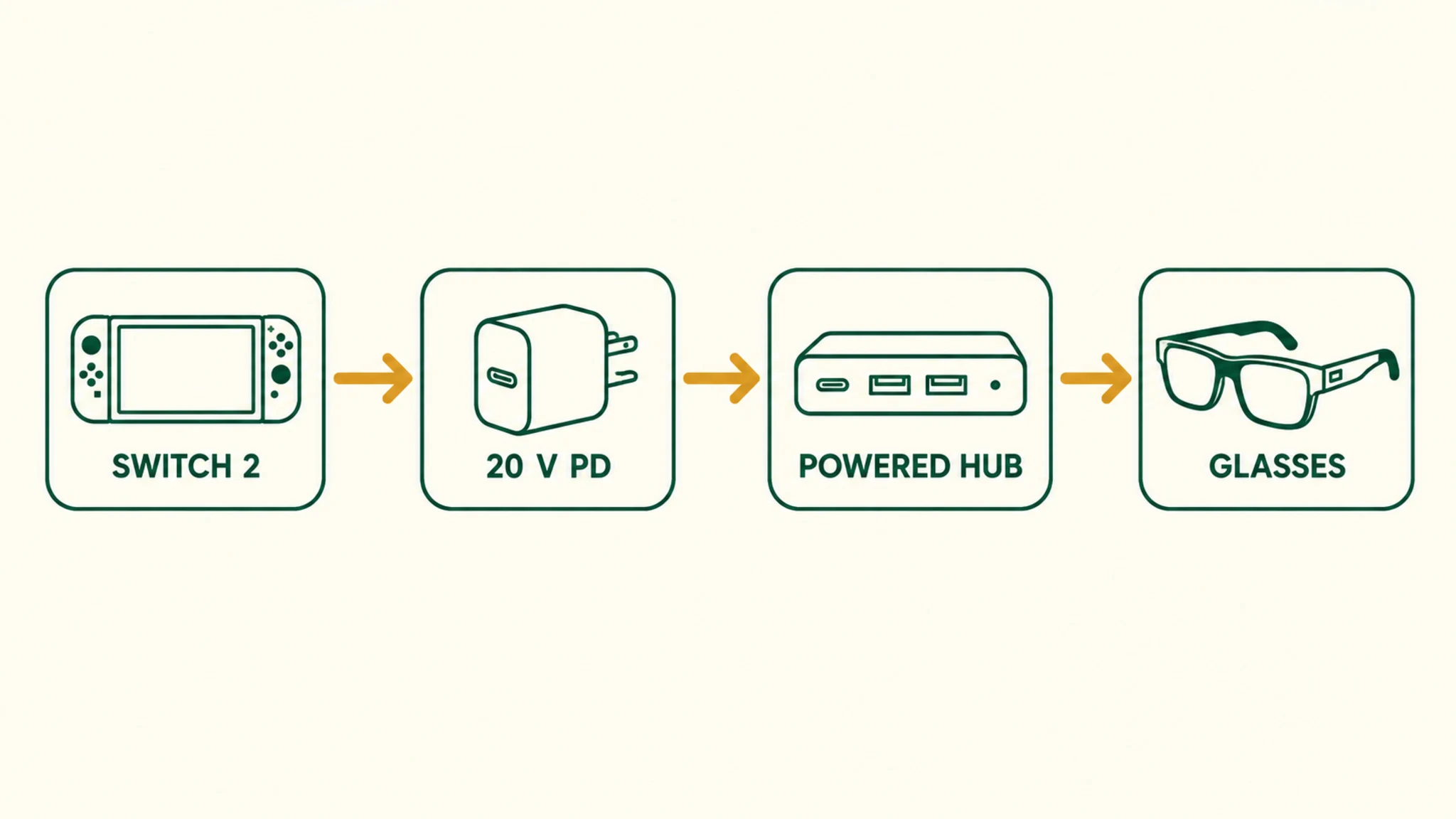
Check 4a — is the hub video-capable at all? A charge-only hub passes power and data but not DisplayPort, so the glasses charge happily and display nothing. For sources with native Alt Mode — Steam Deck, ROG Ally, DP-capable phones and laptops — any DisplayPort-passthrough hub works; the hub must explicitly pass video, not just ports. OWNER REPORTS
Check 4b — the Switch 2 power gate. This is the trap that eats the most returns. Nintendo’s own documentation, echoed on XREAL’s hub page, notes that the Switch needs to stay connected to power when playing on an external display. Community reporting goes further: per an r/Xreal report from June 2025 and our own Switch 2 guide, the console only enters TV mode — the mode that pushes video down the cable — when it detects dock-class power delivery, reported in the 15–20V range. Nintendo has not published the exact threshold, so treat the specific voltage as community-measured, not spec. The practical conclusion is not disputed, though: an unpowered passthrough hub can never trigger TV mode, and slim charging bricks keep the console alive while failing the handshake. OWNER REPORTS
The fix paths are documented parts, not guesswork. XREAL’s own Hub — $39.99 on the US shop as of September 2026 — is a 45W passthrough unit with 120 Hz lossless video passthrough, and its product page carries the Switch power note above. The XREAL NEO, at $99, adds a 10,000 mAh battery bank to the passthrough hub, which is the configuration owner reporting and press coverage around its December 2025 announcement point at Switch 2 owners specifically. MFR SPEC
Retailer links may earn us a commission — price approximations based on September 2026 observations; check retailer for current pricing.
Check 4c — strip the chain. Older or crowded USB-C controllers split resources across downstream ports and starve the primary video lane — our adapters research documents bandwidth starvation through chained hubs as a recurring failure mode. Disconnect every other peripheral and let the glasses run alone; if the picture appears, you found the bottleneck without spending anything. OWNER REPORTS
Our pick
XREAL Beam Pro
$249approx.
Android spatial companion: streaming, apps, and 3D capture for XREAL glasses.
Check price on AmazonRetailer links may earn us a commission — price approx., check retailer.
05Per-Device Quirks: Windows, Steam Deck, Phones, Consoles
Windows: press Win+P. Windows detects the glasses as an external display, but the projection mode defaults do not always cooperate — press Win+P and choose Extend (or Duplicate). If nothing is detected after a cable re-seat, the usual next suspects are the GPU driver stack — dormant handshakes after fresh boots are a documented pattern — and the port itself, per check 3b. Our Windows guide walks the full sequence. OWNER REPORTS
Steam Deck and handhelds. Steam Deck LCD and OLED are on XREAL’s official compatibility list, and the glasses present to SteamOS as an external display. The quirk to know: some generic hubs cap or break passthrough on SteamOS, so plug direct or use a hub with confirmed DP passthrough, and check the display settings if the image stays mirrored-only. OWNER REPORTS
Consoles and the adapter chain. With the console’s USB-C ruled out, the path is HDMI-to-USB-C conversion — and the adapter must handle HDCP, the copy protection on protected streams. Generic adapters without the licensed decoder produce flicker, banding, or no picture on protected content; adapters marketed for AR glasses or video passthrough exist precisely for this. A black screen that appears only in streaming apps, with the desktop visible otherwise, is DRM enforcement rather than a signal fault — a different problem with a different fix. OWNER REPORTS
Phones and desktop Linux. On Android, display-out behavior varies by maker and silicon generation — the toggle lives in different places, and some skins hide it entirely. On Linux, Wayland compositors historically struggled with hot-plugging Alt Mode devices, with kernel 6.6 and later stabilizing much of it. macOS is the forgiving outlier: Thunderbolt and USB4 MacBooks generally detect the glasses as a second display with no configuration, per our MacBook guide. OWNER REPORTS
Retailer links may earn us a commission — price approximations based on September 2026 observations; check retailer for current pricing.
06Firmware and the Two-Minute Isolation Test
Check 6 — update the glasses’ firmware. XREAL’s support hub maintains a Firmware Update section and its shop pages carry firmware-update callouts, so updating is an official, supported path. Honesty note: we found no official document tying a specific firmware release to a detection fix, so position this step where the tree puts it — after the electrical checks, before the warranty claim. MFR SPEC
Check 7 — the isolation test. This is the step that converts a frustrating maybe into a decision. Plug the glasses into a second, known-good source — a laptop or handheld that has driven them before. Our reading of the failure patterns (analysis, built from the compatibility corpus): glasses that work on a second source exonerate the glasses and condemn the source-cable-hub chain, which loops you back to checks 2 through 5 with new information. Glasses that fail on two sources have exhausted the software explanations. OUR ANALYSIS
07When It’s Hardware: Exchange and Support
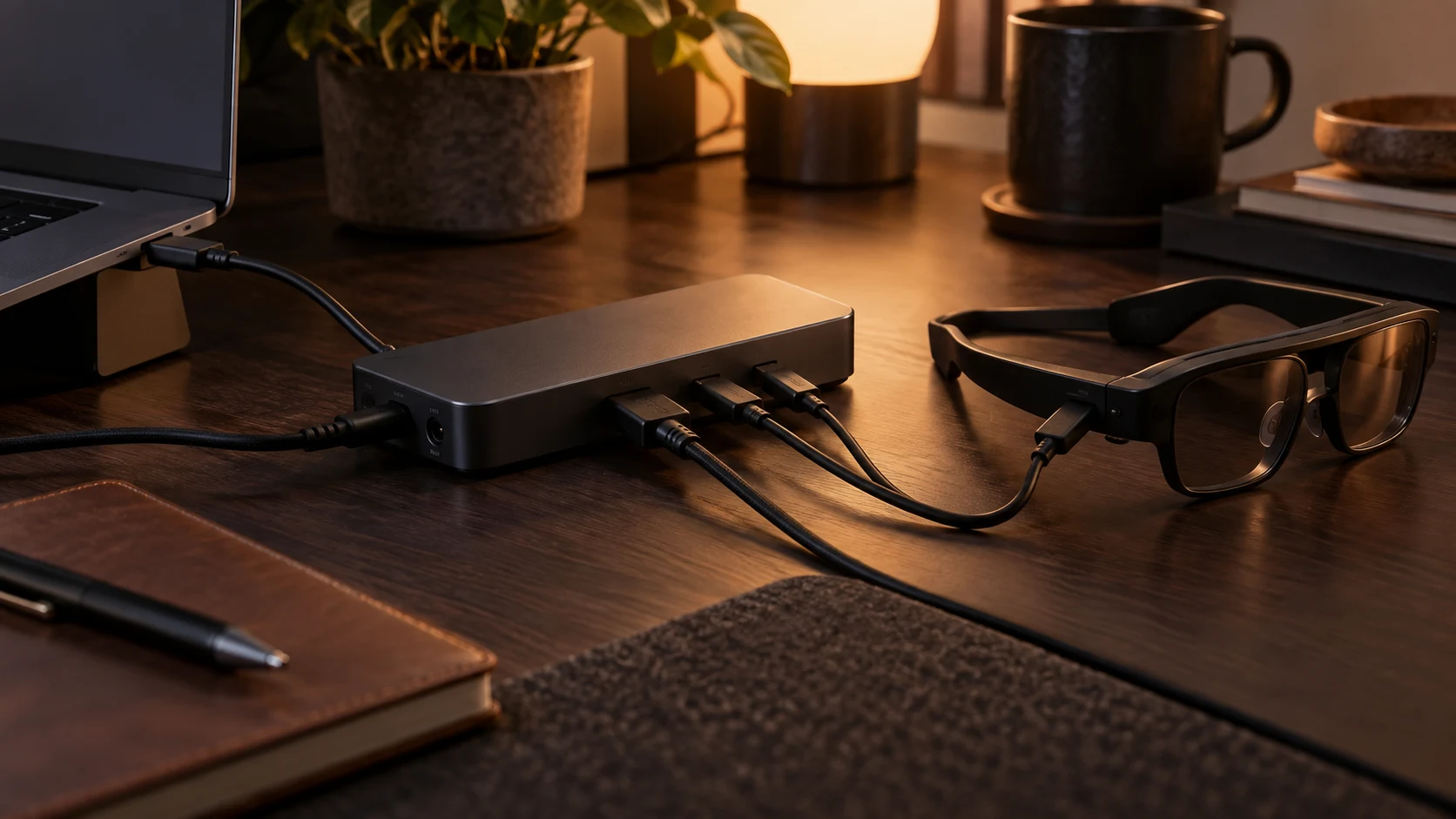
If the glasses fail the isolation test on two sources, with the included cable, directly connected, the software explanations are exhausted. Physical causes left on the list: a damaged or debris-blocked USB-C port on either end, a failed cable, or a fault inside the glasses. Port inspection is generic hardware advice — compressed air, no metal probes — and a second cable is the cheapest way to exonerate the included one. OUR ANALYSIS
From there, the escalation path is documented: XREAL’s US shop lists a 30-day return window and a 1-year warranty on the One-series models, and its support hub advertises 24/7 support via support@xreal.com. Before contacting support, have the isolation result ready — “fails on two known-good sources with the included cable” is a sentence that moves a warranty claim along. MFR SPEC
Fixes that cost $0
- Swap to the included cable or a rated 10 Gbps cable you already own
- Move to a video-capable port; reseat and inspect for lint
- Windows: Win+P → Extend; update GPU drivers
- Strip the hub chain to glasses-only and retest
- Update firmware via XREAL’s support path
- Isolation test on a second known-good source
Fixes that need hardware
- DP-passthrough hub for charge-only hubs in the chain ($40 class; XREAL Hub is $39.99 on shop)
- Dock-class powered hub or battery unit for Switch 2 TV mode (XREAL NEO, $99)
- HDMI-to-USB-C adapter chain for consoles, HDCP-capable ($24–$30 class)
- Exchange or warranty claim when two-source isolation fails
Decoded verdict
The tree is ordered by probability, and probability favors the source
Most no-signal cases die at check 2 — a source that never carried DisplayPort Alt Mode — or at check 3, a charge-only cable doing an impression of a video cable. The expensive failure mode is not the broken glasses; it is the shopping spree that happens before the tree is run. Source capability, cable, port, hub power, OS settings, firmware, isolation: eight checks, most of them free, in an order that finds the fault before it finds your wallet.
On sourcing: the compatible-source list, hub pricing, power note, return window, and warranty come from XREAL’s own shop and support documentation retrieved September 2026. The Switch 2 voltage threshold, the iPhone Air’s USB 2.0 limitation, and the console USB-C behavior are owner-reported and site-researched rather than manufacturer-published, and they are labeled as such. Where we reasoned rather than reported, the tag says so.
Go deeper on the layers under this tree: DisplayPort Alt Mode explained → adapters and docks decoded → the Switch 2 power rule →