Can You Watch Netflix on AR Glasses? (DRM Facts)
You plugged your display glasses into your phone, opened Netflix, and got a black screen. The glasses are fine — the copy-protection system between your phone and the panels is the story, and it decides what plays on every platform from laptops to Steam Decks.
On this page
“Can I watch Netflix on these?” is the question tethered-display-glasses buyers ask after the screen goes black, and the answer is the most useful piece of DRM literacy in this product category. The short version: your glasses are a USB-C monitor with no opinion about content protection — the decision about what video leaves your source device happens entirely on the source, under rules set by a system called Widevine. Learn where the walls are and which devices walk through them, and the black screen stops being a mystery.
The 30-second answer
The glasses aren’t the problem — your source device is. Android phones generally won’t send Netflix’s protected stream out over USB-C, so glasses show a black screen. Laptops play everything, because desktop browsers output to any display. iPhones output YouTube directly; their Netflix behavior is owner-reported. And the clean answer for phone-first viewers is a Widevine L1-certified companion like XREAL’s Beam Pro, which is built to be the streaming source display glasses were waiting for.
Retailer links may earn us a commission — price approximations based on September 2026 observations (Beam Pro per XREAL’s own store rendering); check retailer for current pricing.

L1
Widevine level to want
hardware-backed, HD-capable
0
DRM agents in the glasses
the source decides, not the display
Beam Pro
L1-certified companion
per XREAL spec page, Sep 2026
Laptops
The always-works path
browser DRM outputs to any display
01It’s Not the Glasses: the Architecture of a Black Screen
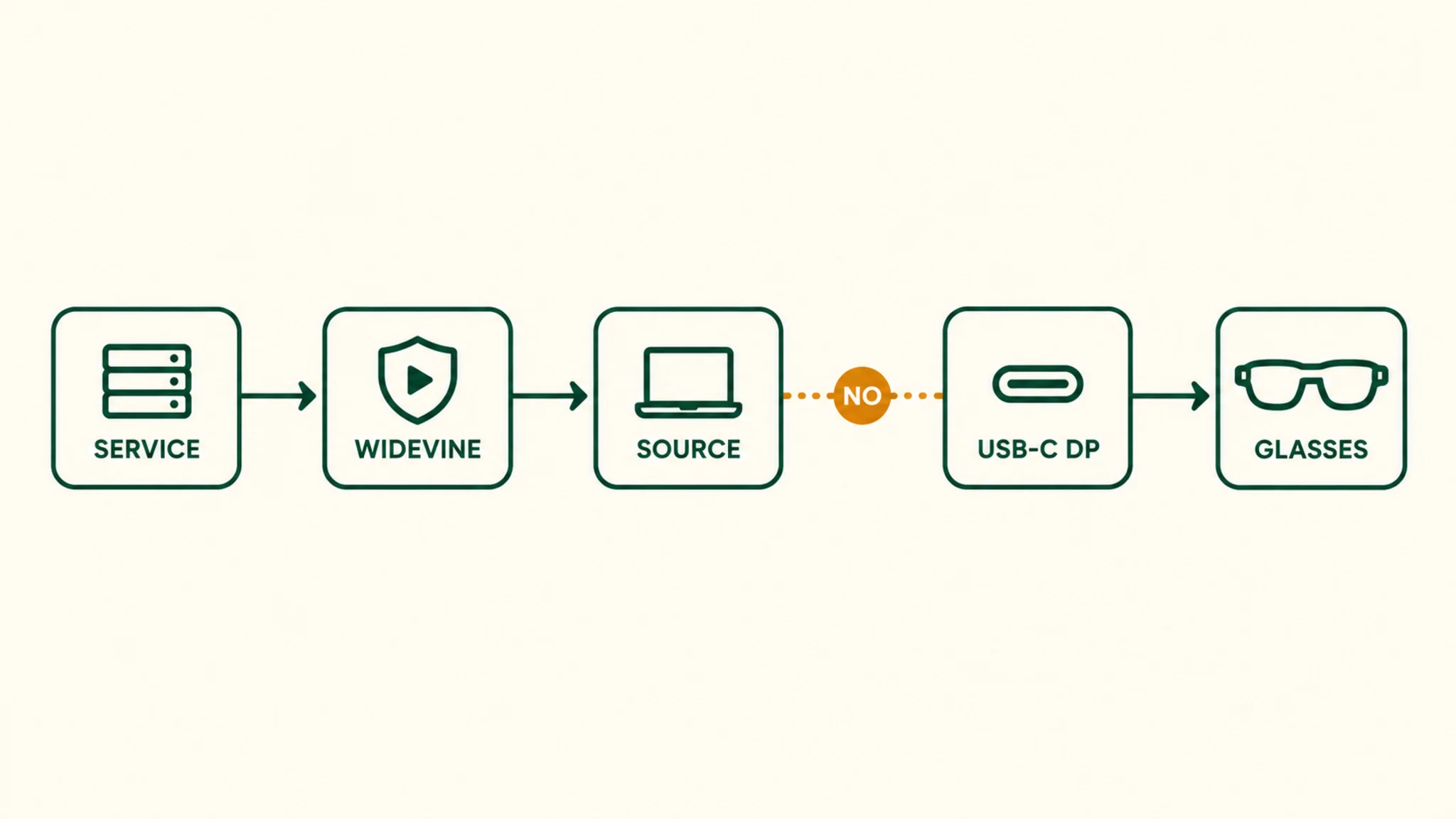
Tethered display glasses — the XREAL One class, VITURE, RayNeo, Rokid’s Max line — are DisplayPort Alt Mode monitors. They receive a video signal and render it. They have no DRM agent, no app ecosystem, and no opinion about Netflix’s business model: whatever video the source sends, they display. MFR SPEC
So when Netflix shows a black screen, the question is never “do these glasses support Netflix” — it is “does this source device output Netflix’s protected stream over its USB-C port?” On Android phones, the general answer is no: the streaming apps treat the external display path as untrusted and withhold video (audio sometimes continues, which is the tell). The phone’s own screen remains a trusted output; the port does not. OWNER REPORTS
02Widevine, Explained: L1, L3, and Why Levels Matter
Widevine is Google’s content-protection system, and its licensee list reads as the streaming market: Netflix, Amazon Prime Video, Disney+, YouTube, HBO Max, Hulu, Peacock. It works through the W3C Encrypted Media Extensions in browsers and platform-level licensing on devices — Google’s own supported-platforms table covers Android, iOS, ChromeOS, desktop Chrome/Firefox/Edge/Opera, Roku, Fire TV, the Switch, PlayStation, and Xbox. MFR SPEC
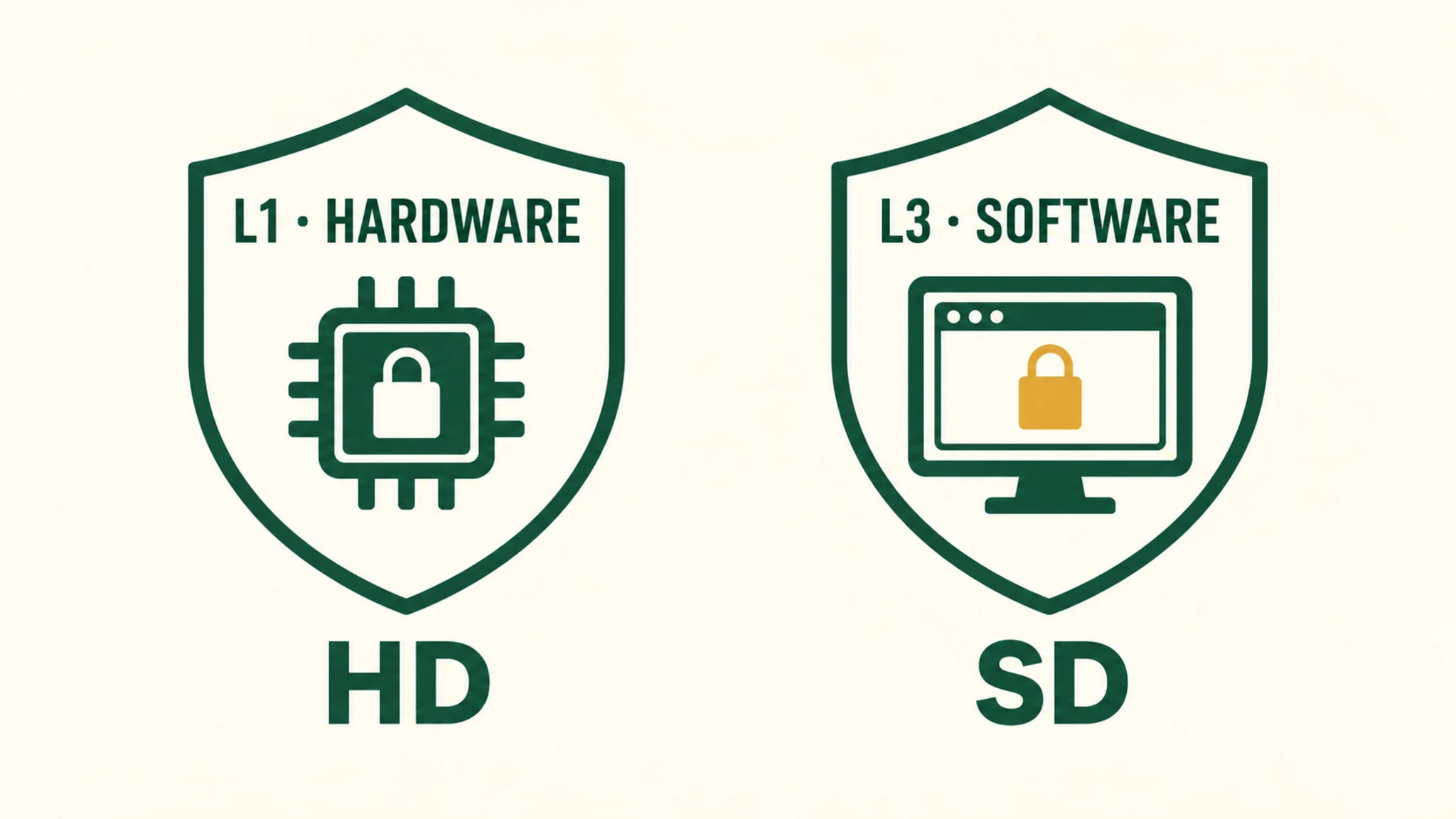
The security levels are the part that matters here. L1 keeps decryption and rendering inside hardware-protected paths — the level services require for HD and 4K on mobile-class hardware. L3 decrypts in software and is typically capped at standard definition. A phone can be L1-certified for its own screen yet still decline external-display output at the app-policy layer — the levels govern quality, the app governs where. OWNER REPORTS
Below Widevine sits a second gate for some setups: HDCP, the copy protection on HDMI and DisplayPort links themselves. It matters mainly on adapter chains — console or set-top box to HDMI-to-USB-C adapter to glasses — where an adapter that cannot negotiate HDCP produces flicker, banding, or nothing. Keep HDCP qualitative in your expectations and specific in your adapter choice: units rated for AR glasses or video passthrough handle it; generic $20 converters often do not. OWNER REPORTS
03What Plays Where: the Platform Matrix
Assembled September 2026, tier-labeled per cell — confirmed where the mechanism is documented, reported where behavior comes from owner consensus and press.
| Source × service | Plays on glasses? | Why |
|---|---|---|
| Android phone × Netflix / Prime | Generally no — black screen | Protected-stream apps decline external-display output (owner-consensus behavior; mechanism confirmed) |
| Android phone × YouTube | Yes | Unprotected streams output over DP Alt Mode — shown working in XREAL’s own press materials |
| iPhone (15/16/17) × YouTube | Yes — direct output | USB-C iPhones output DisplayPort natively; YouTube unprotected (press-tested) |
| iPhone × Netflix | Reported yes | iOS app policy differs; owner reports — not confirmed from primary docs |
| Windows / Mac laptop × any service | Yes — normal external monitor | Desktop browsers carry Widevine CDMs and output to any display |
| Steam Deck × Netflix | No | SteamOS/Linux absent from Widevine’s platform table — browser DRM handshake fails |
| XREAL Beam Pro × Netflix / Prime | Yes — designed for it | Widevine L1 certified per XREAL’s spec page; Android 14 app ecosystem |
| Consoles × streaming apps | Via HDMI adapter | Console apps play; the adapter must pass HDCP — rated-for-glasses units do |
Two honesty notes on the table. The Android-phone block is the strongest claim owners can verify daily, but its mechanism (app policy on protected streams) is confirmed while the behavior is owner-consensus — Netflix’s own help center is the primary source we could not retrieve, and we label accordingly. The Switch family appears in Widevine’s platform table, but Netflix never shipped a Switch app — platform support and app availability are different facts. OWNER REPORTS
Our pick
XREAL One
$399approx.
The safe default: sharp 50° display with spatial smarts built into the glasses.
Check price on AmazonRetailer links may earn us a commission — price approx., check retailer.
04The Beam Pro Path: What L1 Certification Buys
XREAL’s Beam Pro is the category’s deliberate answer to the DRM wall: an Android 14 companion (NebulaOS) whose spec page lists “Widevine L1 Supported” among its certifications, driving glasses at up to 3840×1080 at 72 Hz or 1080p at 90 Hz. In practice that means the Netflix and Prime Video apps from the Play Store treat it as a proper protected-output device — the phone-shaped problem disappears because the phone is no longer in the chain. MFR SPEC
It is also a spatial device — 3DoF screen anchoring, multi-screen layouts — which makes it the power-user’s single answer to “source, streamer, and spatial remote” in one $199–249 unit (XREAL’s own store rendered both prices on our September 2026 retrieval; treat the range, not a number). Whether you need one at all is a separate question with an honest answer: if your source is a laptop or Steam Deck for gaming, maybe not — our companion-units guide runs the decision. MFR SPEC
Our pick
XREAL One
$399approx.
The safe default: sharp 50° display with spatial smarts built into the glasses.
Check price on AmazonRetailer links may earn us a commission — price approx., check retailer.
05Planes and Downloads: the Offline Question
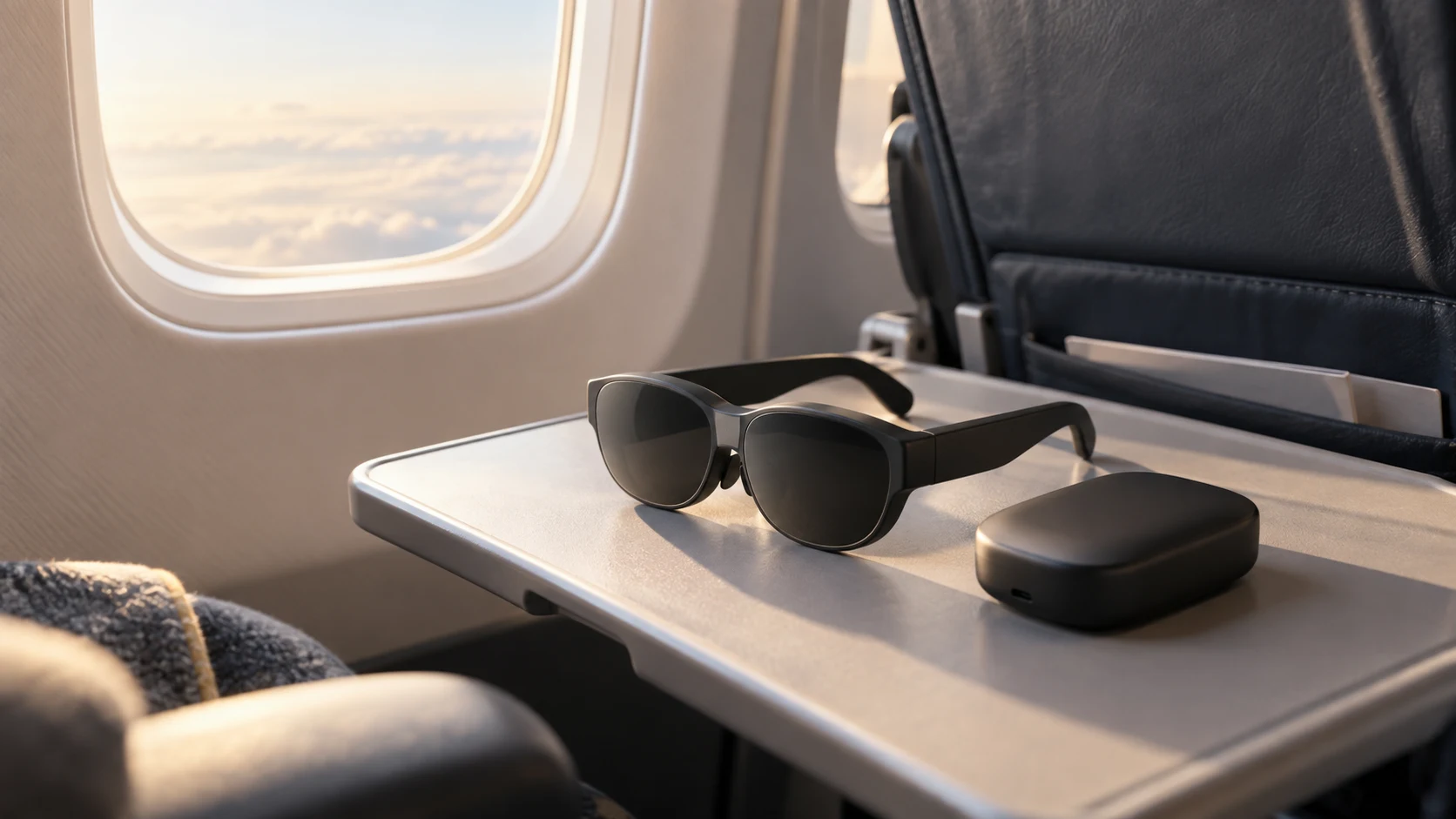
The plane is where the DRM question gets practical. Netflix downloads live inside the app of the device that made them, and playing them out to glasses follows that device’s output rules — the same walls, offline. The clean rig, per the L1 logic above: download on the Beam Pro over airport or hotel Wi-Fi, play on the glasses in the air. Laptops carry the same logic — download in the Windows app, play to the glasses as to any monitor. OUR ANALYSIS
YouTube’s premium downloads and ordinary video files sidestep the entire issue — unprotected content outputs from nearly anything, including Android phones. If your flights are mostly your own media, the DRM matrix barely applies to you. The full kit — cables, power, seatback realities — is in our flying-with-smart-glasses guide. OUR ANALYSIS
06Quick Troubleshooting: Is It DRM or Something Else?
Before blaming DRM, run the ladder. Does anything display from this source — a home screen, YouTube, a photo? If nothing displays, that is a connectivity problem, not DRM: work our no-signal decision tree. If YouTube plays but Netflix blacks out on the same phone: that is the DRM wall, textbook. If Netflix plays from the laptop but stutters through an adapter from a console: suspect the adapter’s HDCP handling before anything else. OUR ANALYSIS
what streaming does to battery — the other cost of the big screen → which sources display glasses actually accept →
Decoded verdict
Pick the source, and the question answers itself
“Can you watch Netflix on AR glasses?” resolves into a purchasing rule: choose your source by what it will output. Laptop-first viewers already have everything. Phone-first viewers need either the reported-good iPhone path or a Widevine L1 companion like the Beam Pro. Android-phone-only viewers hit the wall — that is policy, not hardware, and no cable fixes policy.
Provenance: the Widevine architecture and platform table come from Google’s developer documentation; the Beam Pro L1 certification and output specs from XREAL’s official pages (retrieved September 2026); platform behaviors are labeled confirmed-mechanism versus owner-reported throughout, and the inference-labeled plane-rig logic is marked as ours. Where Netflix’s primary documentation was unreachable, we said so rather than flattening the tier.