Do Smart Glasses Need a Phone? (2026 Answer)
The question sounds simple until you notice it is three questions: do they need a phone to set up, to think, and to show anything at all? The answers differ by category — and two of them changed during 2025–26.
On this page
- 01 One Question, Three Meanings
- 02 The Dependency Matrix
- 03 Tethered Display Glasses: a Monitor, Not a Computer
- 04 AI Camera Glasses: Setup-Tethered, Capture-Free
- 05 Ray-Ban Display + Neural Band: Standalone, With an Asterisk
- 06 HUD Glasses and the Android XR Class: the Phone-Free Tier
- 07 What You Actually Lose Without the App
“Do smart glasses need a phone?” is the question every buyer asks and most product pages dodge — because the honest answer is which smart glasses, needing the phone for what, and until when? The 2025–26 generation scrambled the old answers: display glasses gained their own spatial chips, AI glasses became the volume category, and the Android XR platform arrived to make standalone compute a design goal rather than a compromise. Here is the dependency picture as it actually stands in September 2026.
The 30-second answer
Display glasses don’t need a phone — they need a video source, and a phone is just one option (Steam Deck, laptop, and consoles all qualify). AI camera glasses need a phone for setup and for their AI features, but capture photos and video standalone. HUD glasses run their core functions with no phone in the loop. And the Android XR class arriving through fall 2026 is explicitly built to make the phone optional. If you want one rule: buy for the category, not for the fantasy of phone-free.
3
kinds of phone tether
setup, feature, source
0
phones needed by HUD glasses
core functions, standalone
1
app that pairs Ray-Ban Meta
Meta AI app, account required
Fall 2026
Android XR wave
standalone-by-design devices
01One Question, Three Meanings
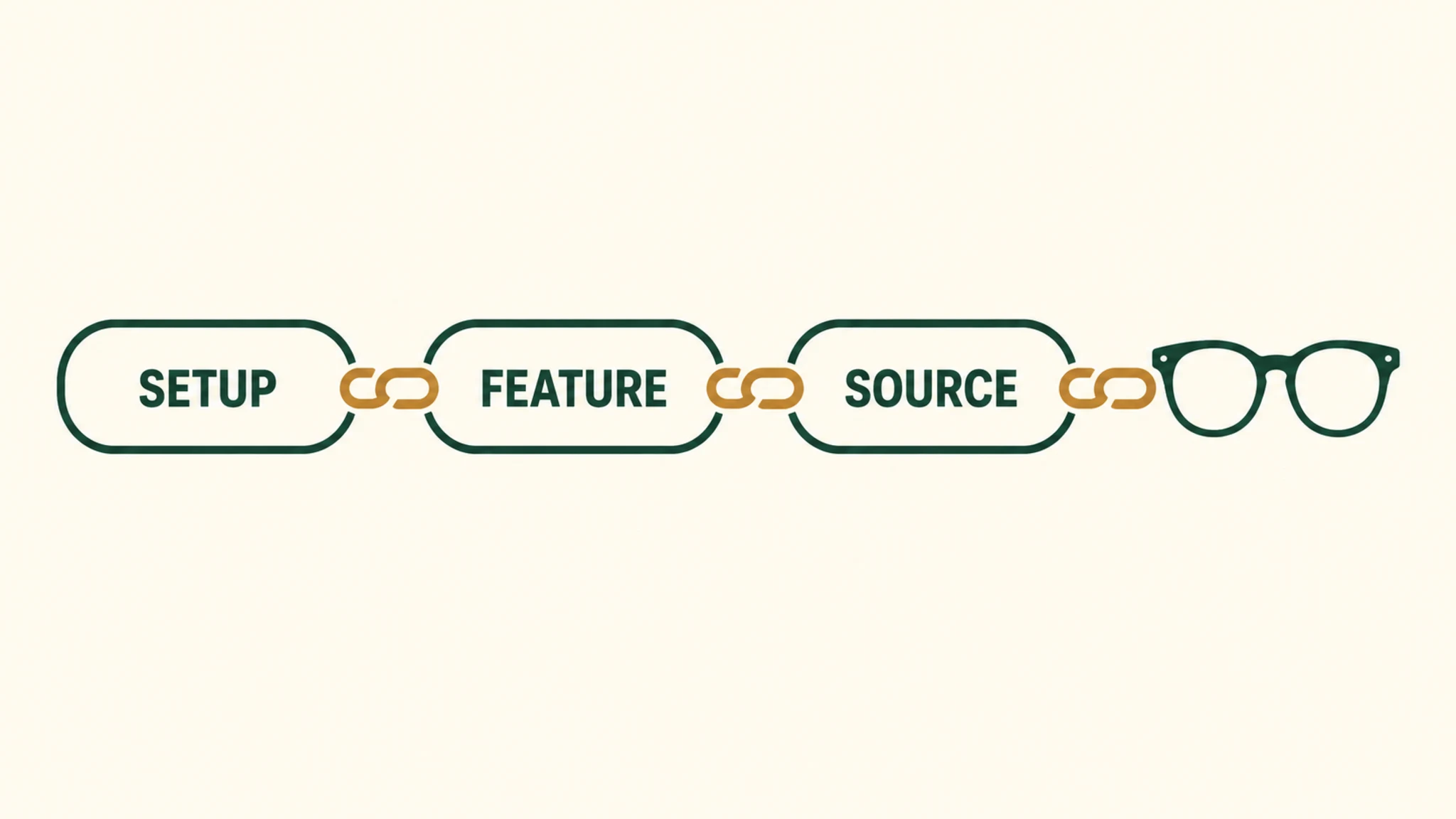
Most confusion in owner threads comes from one phrase doing three jobs. Setup-tethered: the glasses cannot complete first-time pairing without the app — true for every Meta product. Feature-tethered: the hardware works standalone, but named features route through the phone — AI queries, captures import, firmware. Source-tethered: the glasses are a display that needs a live video signal, which can come from a phone or anything else that speaks DisplayPort. OUR ANALYSIS
02The Dependency Matrix
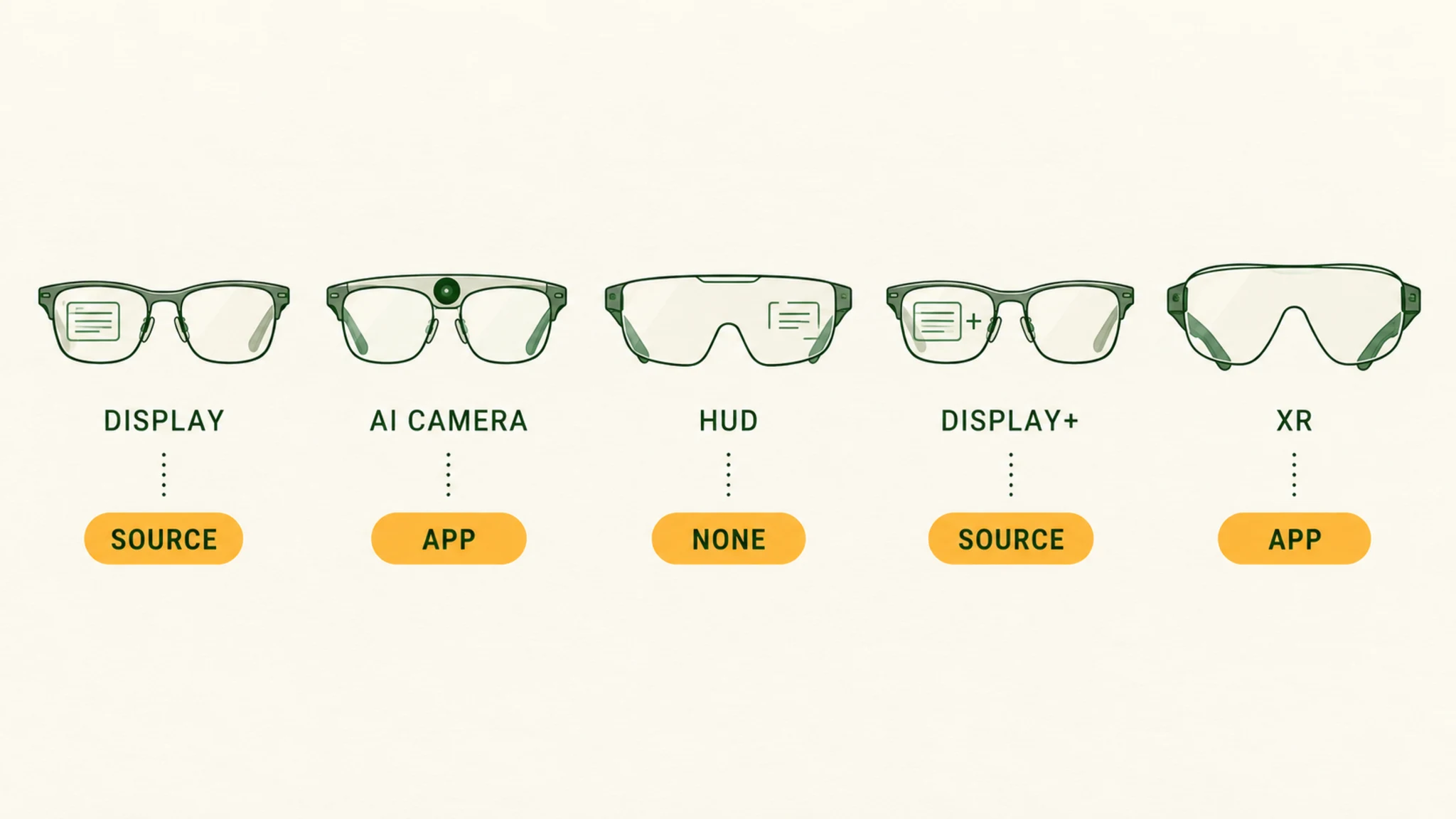
Six categories, three columns, sourced per cell — official documentation where it exists, owner consensus and labeled inference where it does not.
| Category | Works with no phone | Needs app (setup) | Ongoing phone link |
|---|---|---|---|
| Tethered display (XREAL One, VITURE, RayNeo, Rokid Max 2) | Nothing displays — needs a DP Alt Mode source | Optional (screen tuning apps) | Yes — any live source, not only a phone |
| AI camera (Ray-Ban Meta, Oakley Meta) | Photo/video capture, Bluetooth audio role | Required — Meta AI app + account | AI features + calls/music want a phone nearby |
| Ray-Ban Display + Neural Band ($799) | Display experiences + web apps run on-glasses | Required — Meta AI app | Location features take GPS from a connected phone |
| HUD (Even G2, Memomind One, Halliday G2) | Core HUD functions — captions, teleprompter, translation | Companion apps exist; setup details vary | No tether for core display functions |
| Android XR devices (fall 2026 wave) | Standalone by design — on-device compute | Companion apps likely — details pending | No tether required for core use |
| Audio glasses (Solos AirGo V) | Bluetooth audio to any paired device | App for setup + AI features | Phone (or other source) is the audio library |
Cell provenance: the Meta rows are official documentation (Meta developer FAQ and help pages, retrieved September 2026); the tethered-display row is manufacturer-spec fact; the HUD and Android XR rows mix confirmed platform facts with inference from product design, labeled as such in the sections below. MFR SPEC
03Tethered Display Glasses: a Monitor, Not a Computer
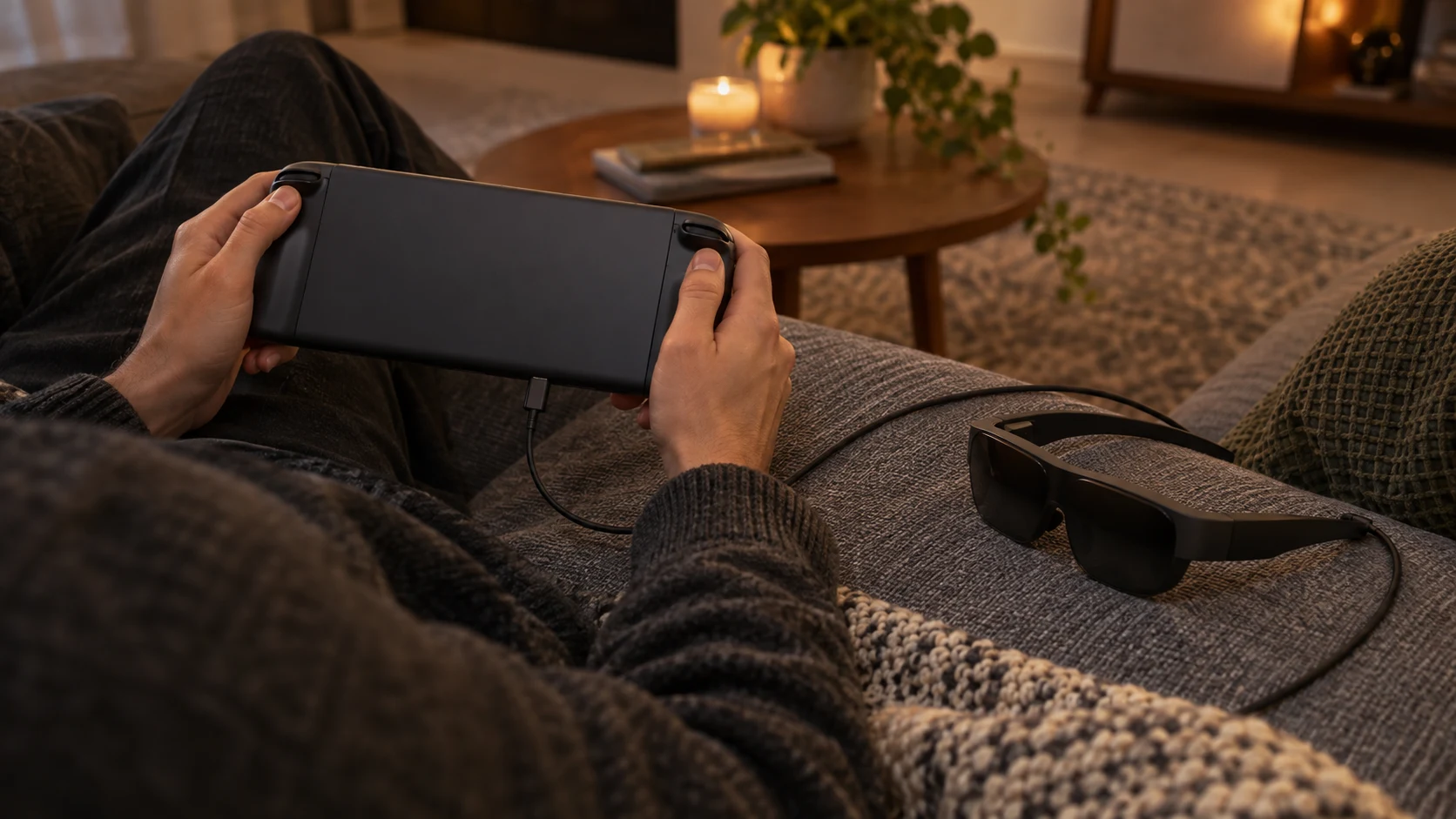
These are USB-C monitors shaped like glasses. Without a DisplayPort Alt Mode source they display nothing — not a menu, not a logo — and that is the design that keeps them light and inexpensive, not a defect. MFR SPEC
The source does not have to be a phone. A Steam Deck plugs in and plays; laptops drive them as external displays; consoles connect through an HDMI-to-USB-C adapter; the iPhone 15/16/17 line outputs video over USB-C (the iPhone Air does not — its port is USB 2.0); the Switch 2 needs a powered hub. The phone is simply the most pocketable source, which is why the category got labeled “phone-dependent” when it is really source-dependent. Our DisplayPort Alt Mode explainer covers which devices actually carry video out. MFR SPEC
Our pick
Ray-Ban Meta (Gen 2)
$409approx.
The default AI camera glasses: better battery, 3K video, huge style range.
Check price on AmazonRetailer links may earn us a commission — price approx., check retailer.
04AI Camera Glasses: Setup-Tethered, Capture-Free
The Ray-Ban Meta family is the volume category, and its dependency shape is official: the Meta AI app (with a Meta account, Android 10+ or iOS 14.4+, and wireless internet) is required to pair the glasses at all. After setup, capture is genuinely standalone — photos and videos record to onboard storage and import to your phone later, so you can leave the phone at home for a walk and come back with footage. MFR SPEC
Audio runs over Bluetooth: the glasses pair to a phone — or another device — in a headset role, and owners report pairing them to watches with mixed results. Calls and music want a paired device in range. OWNER REPORTS
The intelligence is the tethered part. Meta’s requirements checklist lists wireless internet access, and what we could retrieve does not explicitly document whether the glasses reach that internet through the paired phone or their own radio — our working inference is phone-mediated, flagged as inference rather than fact. Either way: no connection, no AI. OUR ANALYSIS
One boundary worth knowing: Meta AI features do not run on the older Ray-Ban Stories generation at all — buying second-hand Stories glasses expecting the Gen 2 experience is a documented disappointment. Our Ray-Ban Meta troubleshooting guide covers the app, pairing, and reset procedures in full. MFR SPEC
Our pick
Ray-Ban Meta (Gen 2)
$409approx.
The default AI camera glasses: better battery, 3K video, huge style range.
Check price on AmazonRetailer links may earn us a commission — price approx., check retailer.
05Ray-Ban Display + Neural Band: Standalone, With an Asterisk
Meta’s $799 hybrid is the company’s first genuinely compute-carrying glasses: after setup, display experiences and web apps run directly on the device — the developer documentation says so explicitly, and it is the sharpest line yet drawn between “phone peripheral” and “wearable computer.” Setup still requires the Meta AI app on a smartphone. MFR SPEC
The asterisk is location: GPS comes “from a connected phone,” per the same developer FAQ — so navigation-flavored features keep a live phone link even after the glasses stand alone. The deeper treatment of what the Display does with its independence is in our Meta glasses guide. MFR SPEC
06HUD Glasses and the Android XR Class: the Phone-Free Tier
The monochrome-HUD tier — Even G2, Memomind One, Halliday G2 — runs its core functions with no phone in the loop: teleprompter scripts, live captions, translation, dashboards render from on-glasses processing. Companion apps exist (Even’s Hub platform is documented), but the display functions do not route through them. MFR SPEC
The Android XR class extends that philosophy to full-color standalone devices: Samsung’s Galaxy XR ships with on-device compute and an external battery; Google’s eyewear wave with Gentle Monster and Warby Parker frames is the fall 2026 pipeline; XREAL’s Project Aura is the display-glasses maker’s standalone answer. Companion apps for setup are likely across the class — exact requirements are still emerging, and we will not assert them before they are documented. Our Android XR explainer and fall 2026 shipping tracker follow the details as they land. OWNER REPORTS
07What You Actually Lose Without the App
Deleting the companion app does not brick anything — the glasses keep their standalone tier. What you lose is the management surface: firmware updates, tuning settings, captures import, and every feature that routes through the phone’s connection. In practice the app is less a dependency than the product’s control room, and the honest buyer’s framing is: the phone-free experience is real, smaller, and improving generation over generation. OUR ANALYSIS
what standalone means for battery — the other hidden dependency → the five-category taxonomy behind this matrix →
Decoded verdict
Buy for the category, not for the fantasy of phone-free
The dependency matrix is the buying advice. If your use case is media and gaming, a tethered pair with the right source device (not necessarily a phone) is the mature buy. If it is capture-plus-assistant, the Ray-Ban Meta contract is explicit: app for setup, phone for AI, freedom for photos. If it is glanceable information with nothing tethered, the HUD tier delivers that today. And if you want the full standalone future, Android XR is arriving on a documented schedule — tracked, dated, and honestly labeled in our fall 2026 tracker.
Provenance: Meta rows are official documentation retrieved September 2026; tethered-display mechanics are manufacturer-spec; HUD and Android XR statements mix confirmed platform facts with labeled inference from product design. Where the connectivity path of a feature was not explicitly documented, we said so in the text rather than guessing.
Our pick #2
Even Realities G2
$599approx.
36 g of magnesium and titanium with a quiet green HUD — glasses first, gadget second.
Check priceRetailer links may earn us a commission — price approx., check retailer.