Smart glasses for Windows PCs: yes, and here's the port to use
Windows treats display glasses as a portable external monitor — extend, arrange, done. The one trap: not every USB-C port on your PC carries video. How to find the right port, and what to expect.
On this page
Windows is the most flexible platform for display glasses — which also means it has the most ways to surprise you. The good news: your PC almost certainly can drive glasses. The fine print: which port matters more than whether your PC “has USB-C.” Ten minutes of port-identification saves the classic “glasses work on my Steam Deck but not my laptop” confusion.
Short answer · verified Aug 2026
Yes — any Windows PC whose USB-C port carries DisplayPort Alt Mode or Thunderbolt drives glasses as a second display. The one catch: not every USB-C port carries video, so which port matters more than whether your PC “has USB-C.”
The wrong port looks exactly like broken glasses — 10 minutes of reading saves the classic “works on Steam Deck, not my laptop” confusion. Retailer links may earn us a commission.
Bottom line
Works: ✓ via a DisplayPort Alt-Mode / Thunderbolt USB-C port· Fails on charge/data-only ports · HDMI-only PCs: $25–60 adapter · Verified Aug 2026
MFR SPEC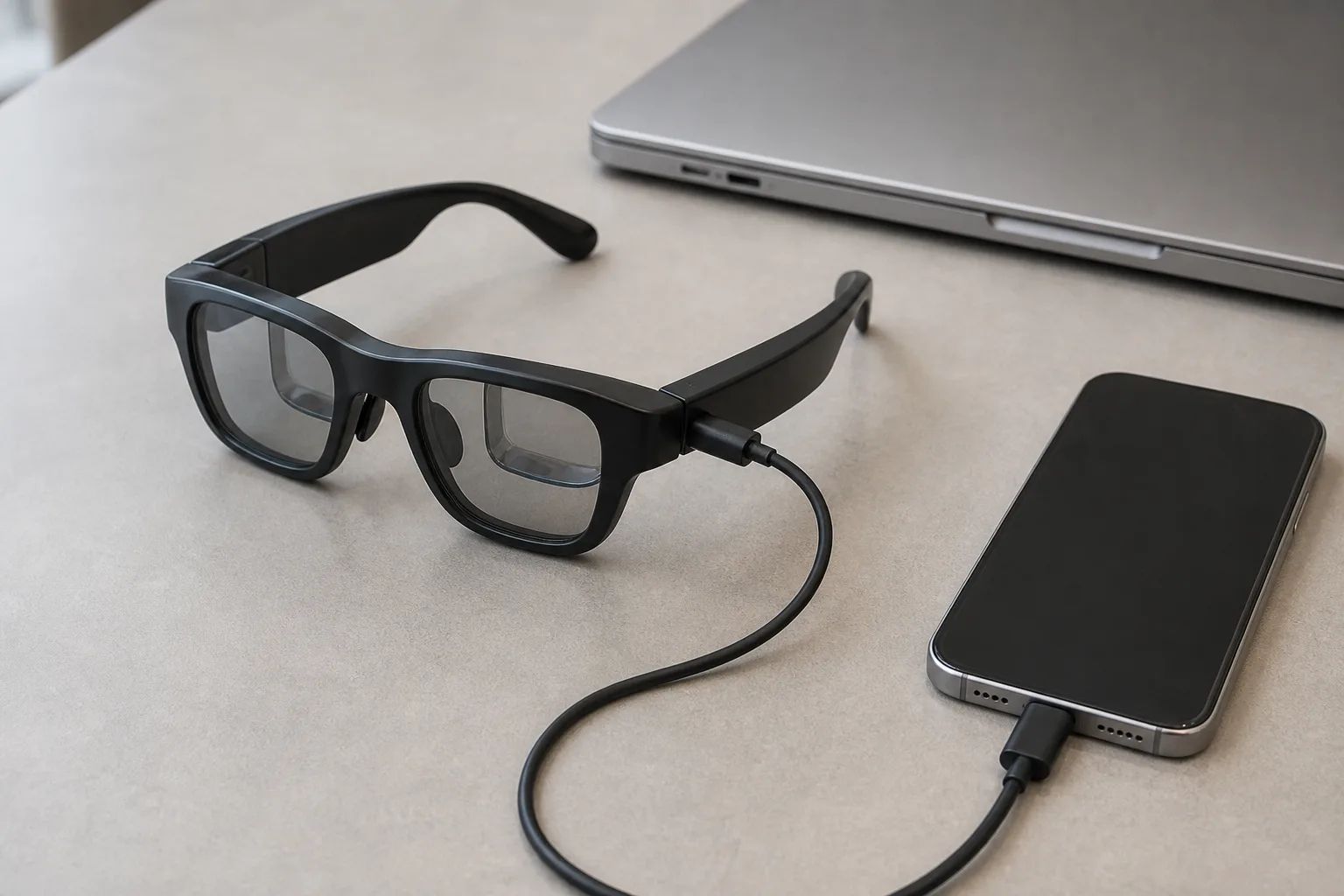
01Finding your video-capable port
USB-C ports come in four personalities on Windows hardware: charge-only, data-only, DisplayPort Alt Mode (video), and Thunderbolt (video plus everything else, marked with a lightning bolt). Only the last two drive glasses. The identification rules:
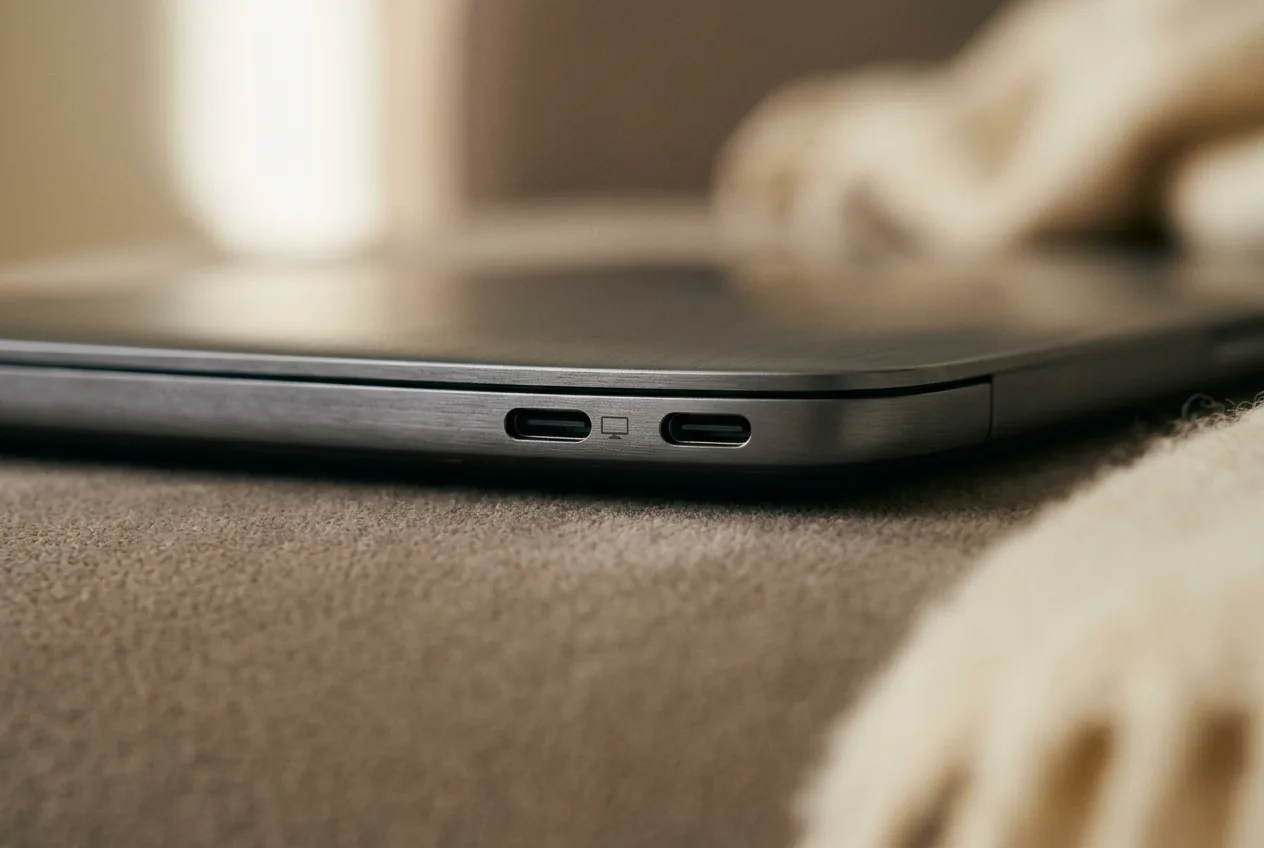
- Look for a display icon (a monitor or "D" symbol) or Thunderbolt logo printed next to the port itself.
- Gaming and business laptops frequently mix port types on the same chassis — the left side charges, the right side displays (or vice versa). Check your model's spec sheet per port when in doubt. MFR SPEC
- Thunderbolt 3/4/5 ports always carry video; plain USB-C with the display icon does; USB-C without markings is a coin-flip weighted toward “no.”
02Setup and multi-display behavior
Once detected, glasses behave like any monitor with one difference: they're on your head. The practical adjustments: set 1920×1080 native (higher resolutions downscale with zero sharpness benefit — see display technology for why); scale Windows to 125–150% on the glasses display for readable text; and orient your work so the glasses screen holds the content you're actively watching, while the laptop screen takes reference material — neck position follows your attention, so put the thing you'll stare at on the glasses and the thing you'll glance at on the desk.
For multi-monitor power users: plain extend gives you one virtual screen; brand apps (XREAL's, VITURE's) subdivide it; and spatial companion devices (XREAL Beam Pro, Rokid Station 2) or 6DoF-capable hardware arrange several screens around you. The honest hierarchy is in our productivity guide — the short version: one big virtual screen is excellent today; genuine three-monitor spatial arrays work but demand the accessories.
03Glasses as a work monitor: the honest assessment
What works well: private work in shared spaces (planes, cafés, open offices — nobody shoulder-surfs a screen only you can see properly), single-document focus, video consumption, and RDP/SSH sessions where the content is text-forward. What doesn't: color-critical work (panels vary from unit to unit), long sessions without breaks for some users (weight and IPD fit drive fatigue), and pixel-peeping UI work — 36–40 pixels per degree is “good laptop,” not “retina.” The 1200p-per-eye models (XREAL 1S, VITURE Beast) are the text-quality picks. OUR ANALYSIS

Our pick
XREAL One
$399approx.
The safe default: sharp 50° display with spatial smarts built into the glasses.
Check price on AmazonRetailer links may earn us a commission — price approx., check retailer.
04HDMI-only PCs and desktops
Desktop towers and older laptops without video-capable USB-C use the same HDMI-to-USB-C adapter as console owners ($25–60). Plug the PC's HDMI into the adapter, the adapter into the glasses, and Windows sees a display. One caveat for multi-monitor users: the adapter presents as a single display, so a desktop with glasses plus physical monitors works fine — glasses just become one of your enumerated displays.
05The best glasses for Windows users
XREAL One
DisplayThe safe default: sharp 50° display with spatial smarts built into the glasses.
$399approx.
List $499, price cut to $399 in Dec 2025
Best for
Key specs
- Weight: 84 g
- Display: 1920 × 1080, 50° FOV
Pairs well with
- → 10Gbps rated USB-C cable — the included one is short; $12–18
- → Powered DP hub — for Switch 2 / handhelds; $60–100
- → Hard-shell case — the panels don't forgive pockets; $15–25
Accessory links may earn us a commission — same price either way. Prices approx.
Retailer links may earn us a commission — see our affiliate disclosure. Price approx., check retailer for current.
Rokid Max 2
DisplayDisplay glasses with −6.00 D diopter dials — strongest built-in vision correction.
$279approx.
Sale $279 at Rokid store (Sep 2026); regular $429 — check current price
Best for
Key specs
- Weight: 75 g (approx.)
- Display: 1920 × 1080, ≈46–50° FOV
- Diopter dials: 0 to −6.00 D per eye (no astigmatism correction)
Pairs well with
- → 10Gbps rated USB-C cable — the included one is short; $12–18
- → Powered DP hub — for Switch 2 / handhelds; $60–100
- → Hard-shell case — the panels don't forgive pockets; $15–25
Accessory links may earn us a commission — same price either way. Prices approx.
Retailer links may earn us a commission — see our affiliate disclosure. Price approx., check retailer for current.
XREAL 1S
DisplayCES 2026 refresh: 1200p per eye and 3 ms latency at a mid-tier price.
$449approx.
Launched Jan 2026
Best for
Key specs
- Weight: 82 g (approx.)
- Display: 1920 × 1200, 50° FOV
Pairs well with
- → 10Gbps rated USB-C cable — the included one is short; $12–18
- → Powered DP hub — for Switch 2 / handhelds; $60–100
- → Hard-shell case — the panels don't forgive pockets; $15–25
Accessory links may earn us a commission — same price either way. Prices approx.
Retailer links may earn us a commission — see our affiliate disclosure. Price approx., check retailer for current.
The reasoning mirrors our display-glasses rankings with two Windows-specific twists: Rokid's Station 2 companion unlocks the strongest multi-screen workflow (via its 3-screen mode), making the Max 2 interesting for productivity buyers; and the 1S's 1920×1200 panels matter more here, where text-heavy work is the norm. All details live in the rankings and in the productivity guide.
The complete Windows PC kit
- 1. The glasses — ranked here — XREAL One, $399 approx.
- 2. HDMI-to-USB-C adapter — the bridge for HDMI-only PCs and desktops; $25–60
- 3. Right-angle 10Gbps USB-C cable — desk posture without kinks; $12–18
Total kit: ~$436–$477 with the recommended XREAL One; skip the adapter if your PC already has a video-capable USB-C port. Kit links may earn us a commission · prices approx., verified Aug 2026. OUR ANALYSIS