Smart glasses + Nintendo Switch 2: the black-screen mystery, solved
The Switch 2's USB-C port supports DisplayPort — but plug glasses in directly and you get nothing. The console only outputs video in TV mode, which requires ~20 volts of incoming power. Here's the fix, and the full setup.
On this page
This page exists because of a very specific, very common moment: a new Switch 2 owner plugs display glasses into the console's USB-C port, gets a black screen, assumes the glasses are defective or “Switch 2 isn't compatible,” and starts a return. The truth is stranger — the port has DisplayPort, the console is happy to use it, and the only thing missing is about 20 volts. Understand the TV-mode handshake and the whole thing makes sense.
Short answer · verified Aug 2026
Yes — the Switch 2 drives display glasses, but not with a plain cable. It needs a powered hub that supplies ~20V to enter TV mode and passes DisplayPort through. One hub, ~$40–100, fixes it.
The wrong cable looks exactly like broken glasses — 10 minutes of reading saves a $40 mistake.
1080p
Output to glasses
TV mode
120 Hz
Max refresh
supported games
~20 V
Required to enter TV mode
the catch
$99
XREAL NEO hub
includes 10,000 mAh battery
01The black-screen mystery, explained
Bottom line
Works: ✓ with a powered hub · Fails with plain cable · Fix cost: $40–100 · Verified Aug 2026
OWNER REPORTSNintendo's USB-C ports do something unusual: they withhold video output until the console decides it's “docked.” The trigger isn't a protocol handshake — it's power. The official dock feeds the Switch 2 roughly 20 volts over USB-PD — TV mode needs a 15V/20V PD profile, which is why phone chargers fail MFR SPEC; the console sees that, enters TV mode, and starts pushing DisplayPort video down the same cable. Hand the console your glasses' plain USB-C connection — which negotiates no such voltage — and it stays in handheld mode forever, sending no video at all. The glasses aren't incompatible; they're unheard. OWNER REPORTS — this is owner-community-documented behavior, confirmed by the accessory ecosystem that exists to solve it.
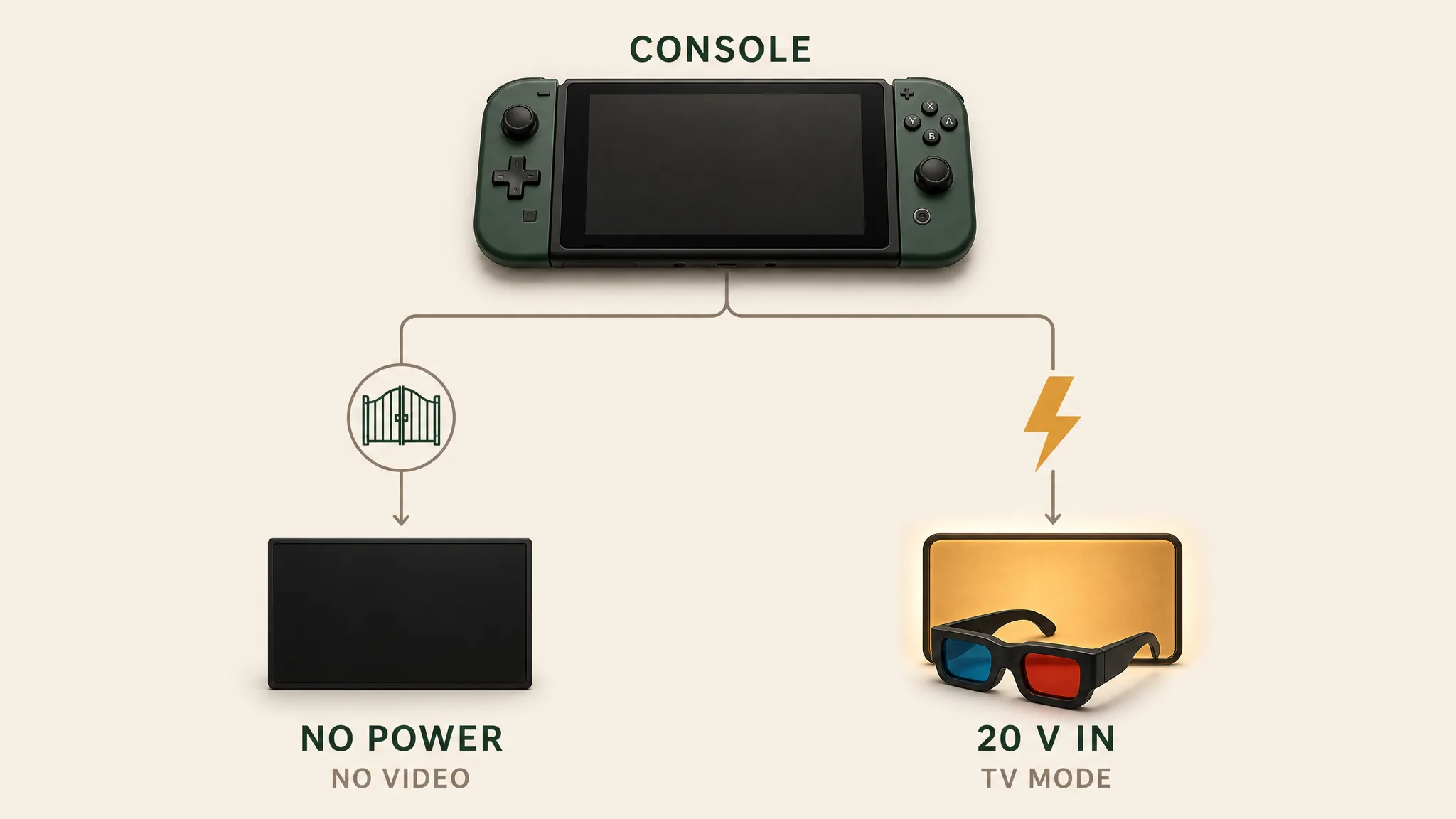
This is also why compatibility marketing around the Switch 2 is so muddled. “Works with Switch 2” stickers on glasses boxes are technically true and practically useless without the powered-hub asterisk. If you take one sentence from this page: the question isn't whether the glasses work with the Switch 2 — it's what feeds the Switch 2 twenty volts while passing video to your glasses.
02The fix: powered hubs that speak Nintendo
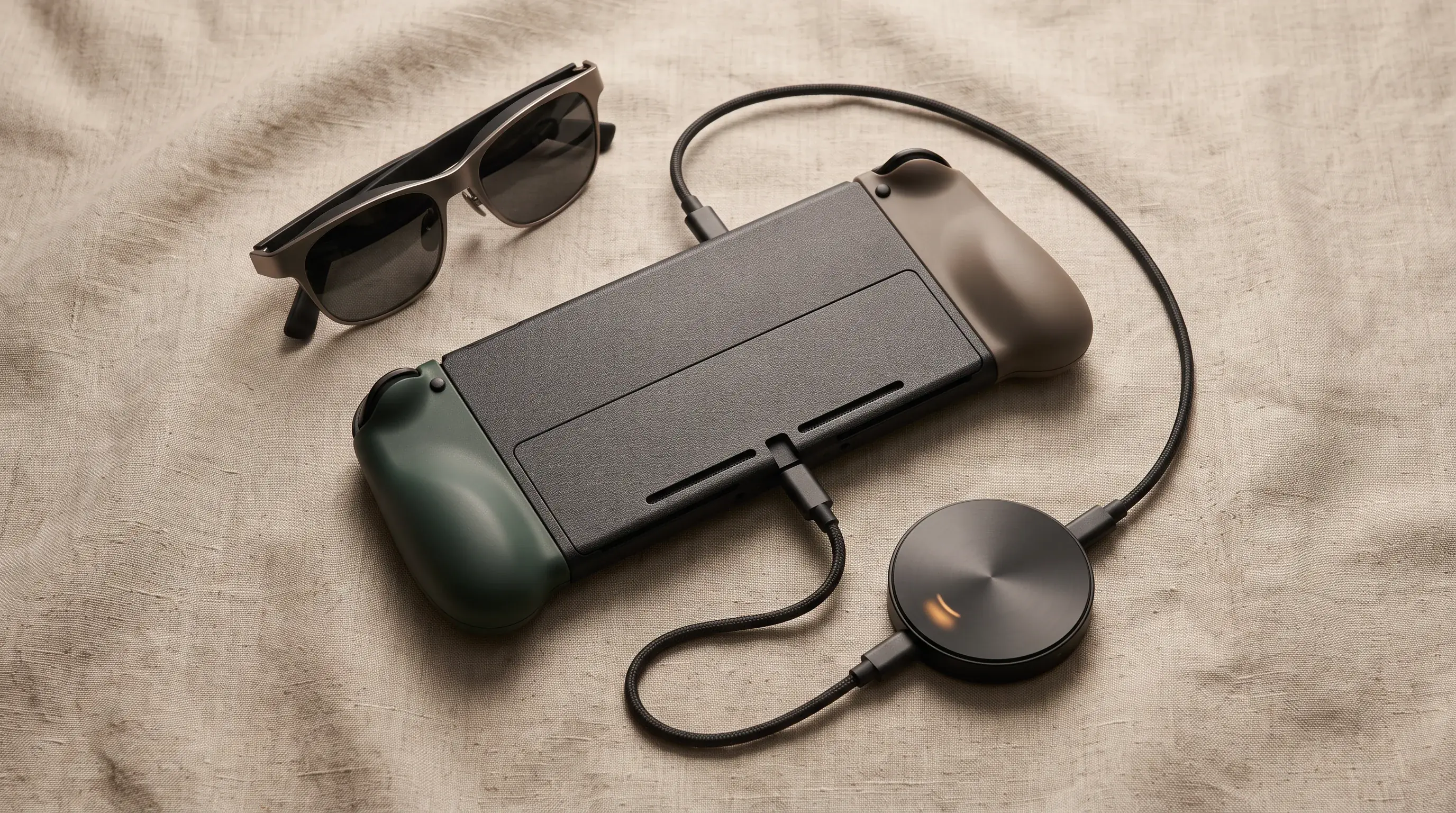
The accessory market produced purpose-built solutions — USB-C devices that simultaneously supply dock-class power to the console and pass the DisplayPort signal through to glasses:
- XREAL NEO ($99): XREAL's dedicated answer — a DisplayPort hub with a built-in 10,000 mAh power bank, so it both triggers TV mode and extends your play session. Announced December 2025 with the 1S, marketed squarely at Switch 2 owners. MFR SPEC
- XREAL Hub ($60–70 class): 45 W wall-powered, 120 Hz passthrough; also the go-to for Steam Deck and ROG Ally. Needs a wall outlet, so it's the at-home option.
- VITURE's Switch/Switch 2 adapter and docks: the 2-in-1 adapter and MagDock magnetic solutions; VITURE has marketed Switch 2 compatibility most aggressively of the glasses brands. Card-thin, pocketable, and often bundled with glasses.
- Generic “Switch-dock” USB-C hubs: hit-or-miss; they must supply ≥20 V PD and pass DP Alt Mode — many cheap hubs do one. Read specs line-by-line, or buy the purpose-built ones.
The complete Switch 2 kit
- 1. The glasses — ranked here — XREAL One, $399 approx.
- 2. XREAL NEO hub — supplies ~20V to trigger TV mode + adds 10,000 mAh battery; ~$99
- 3. Right-angle 10Gbps USB-C cable — play posture without kinks; $12–18
- 4. Hard-shell case — the panels don’t forgive pockets; $15–25
Total kit: ~$525–$541 with the recommended XREAL One; other glasses tiers vary. Kit links may earn us a commission · prices approx., verified Aug 2026. OUR ANALYSIS
Not sure which glasses to pair with your Switch 2 yet? The 3-question finder narrows the category first.
03Setup and settings, step by step
- Connect glasses to the powered hub's glasses/video port; connect the hub's USB-C output to the Switch 2; connect hub power (battery or wall).
- The Switch 2 switches to TV mode automatically — the console screen keeps playing while video also flows to the glasses.
- In System Settings → TV/Output, set 1080p; games supporting 120 fps modes will offer them (the glasses' 120 Hz panels oblige).
- If using XREAL One-series glasses, engage anchor mode so the screen stays pinned during handheld play on the couch or in a car.
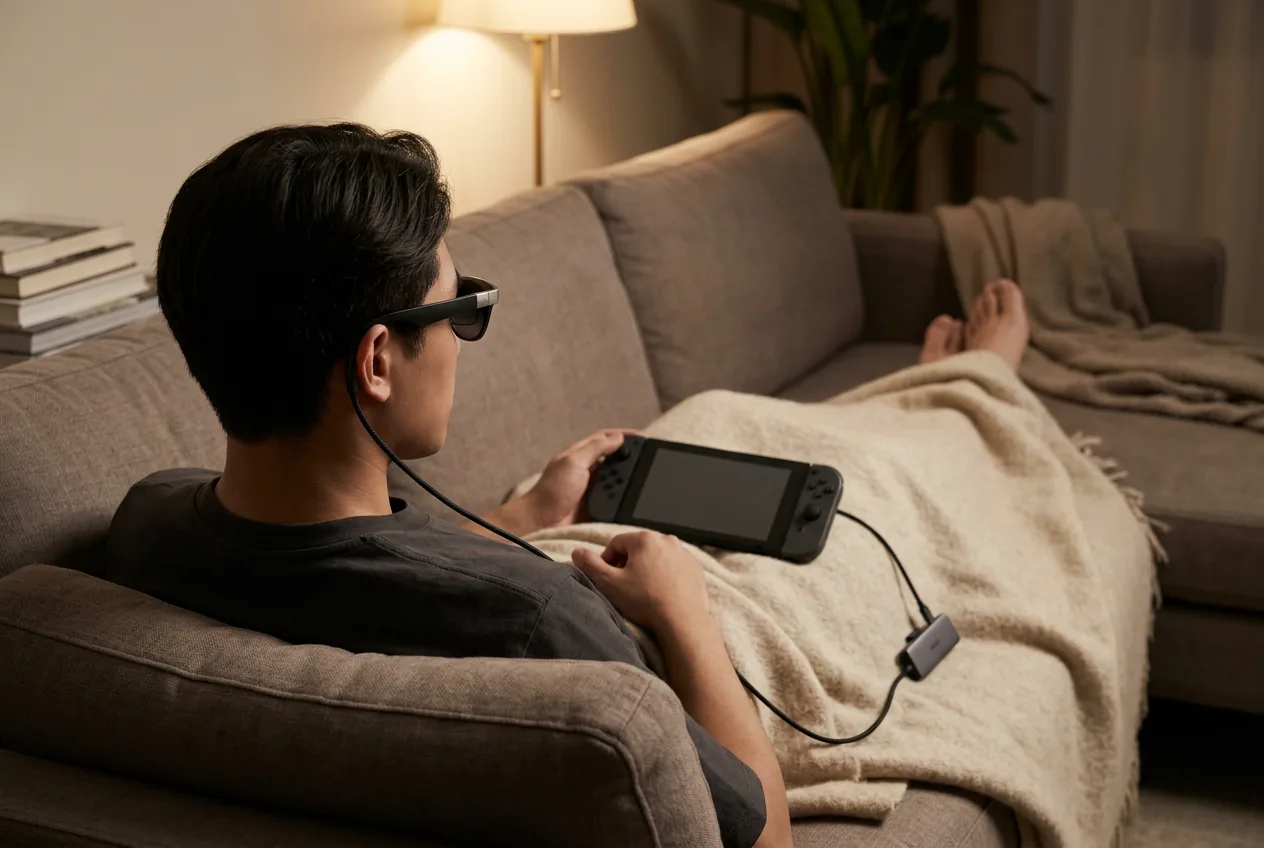
A detail handheld fans appreciate: because the glasses are fed from TV mode, some games render at docked-clock settings, looking richer than the built-in screen's output — while others target the handheld profile. Behavior is per-game, and communities track which titles benefit. OWNER REPORTS
Our pick
XREAL 1S
$449approx.
CES 2026 refresh: 1200p per eye and 3 ms latency at a mid-tier price.
Check price on AmazonRetailer links may earn us a commission — price approx., check retailer.
04The best glasses for Switch 2
XREAL One
DisplayThe safe default: sharp 50° display with spatial smarts built into the glasses.
$399approx.
List $499, price cut to $399 in Dec 2025
Best for
Key specs
- Weight: 84 g
- Display: 1920 × 1080, 50° FOV
Pairs well with
- → 10Gbps rated USB-C cable — the included one is short; $12–18
- → Powered DP hub — for Switch 2 / handhelds; $60–100
- → Hard-shell case — the panels don't forgive pockets; $15–25
Accessory links may earn us a commission — same price either way. Prices approx.
Retailer links may earn us a commission — see our affiliate disclosure. Price approx., check retailer for current.
VITURE Pro 2
DisplayThe 2026 budget king: 63 g, diopter dials, 120 Hz — $299.
$299approx.
Launched Aug 2026 (5th-anniversary line)
Best for
Key specs
- Weight: 63 g
- Display: 1920 × 1080, 50° FOV
- Diopter dials: 0 to −5.00 D (myopia; no astigmatism correction)
Pairs well with
- → 10Gbps rated USB-C cable — the included one is short; $12–18
- → Powered DP hub — for Switch 2 / handhelds; $60–100
- → Hard-shell case — the panels don't forgive pockets; $15–25
Accessory links may earn us a commission — same price either way. Prices approx.
Retailer links may earn us a commission — see our affiliate disclosure. Price approx., check retailer for current.
XREAL 1S
DisplayCES 2026 refresh: 1200p per eye and 3 ms latency at a mid-tier price.
$449approx.
Launched Jan 2026
Best for
Key specs
- Weight: 82 g (approx.)
- Display: 1920 × 1200, 50° FOV
Pairs well with
- → 10Gbps rated USB-C cable — the included one is short; $12–18
- → Powered DP hub — for Switch 2 / handhelds; $60–100
- → Hard-shell case — the panels don't forgive pockets; $15–25
Accessory links may earn us a commission — same price either way. Prices approx.
Retailer links may earn us a commission — see our affiliate disclosure. Price approx., check retailer for current.
XREAL's ecosystem is the path of least resistance here — the NEO hub was built for this exact console, and the One's on-glasses 3DoF needs no app. VITURE's aggressive Switch 2 marketing makes the Pro 2 + adapter bundle the value play, with diopter dials sparing nearsighted players the insert step. The deeper brand question is settled in our XREAL vs VITURE comparison.
05Original Switch and Switch OLED
Same rule, same fixes: the 2017–2019 Switch and OLED models also require TV-mode power before any video flows. The XREAL NEO, XREAL Hub, and VITURE adapters all support them (VITURE's marketing covers both generations). The classic alternative: the official Nintendo dock's HDMI out, fed through an HDMI-to-USB-C adapter — the same $25–60 converter PS5 owners use, which makes it the cheapest path if you already own the dock. Note the original Switch outputs 1080p60 in TV mode; the 120 Hz party is Switch 2-only.
Our pick #2
Rokid Max 2
$279approx.
Display glasses with −6.00 D diopter dials — strongest built-in vision correction.
Check price on AmazonRetailer links may earn us a commission — price approx., check retailer.
Frequently asked questions
Do smart glasses work with the Nintendo Switch 2?
Why does my Switch 2 show a black screen when I plug in glasses?
What refresh rate does the Switch 2 output to glasses?
Does the original Nintendo Switch work with smart glasses too?
Our pick #2
Rokid Max 2
$279approx.
Display glasses with −6.00 D diopter dials — strongest built-in vision correction.
Check price on AmazonRetailer links may earn us a commission — price approx., check retailer.