DisplayPort Alt Mode Explained: AR Glasses Compatibility
A single hidden protocol — USB-C DisplayPort Alt Mode — decides whether your smart glasses light up or stay dark. Here’s how it works, which devices actually carry it, and exactly what to buy when yours doesn’t.
On this page
Every compatibility question regarding tethered display glasses ultimately circles back to one invisible electrical handshake: DisplayPort Alternate Mode. It is the protocol that repurposes a USB-C port into a direct monitor output. Devices that speak this language — Steam Decks, M-series MacBooks, modern Samsung flagships — connect to glasses with the included cable and get an instant desktop experience. Devices that don’t — the iPhone Air, PlayStation 5, and the vast majority of budget smartphones — present a black screen on connection, regardless of how many premium cables you throw at them.
The 30-second answer
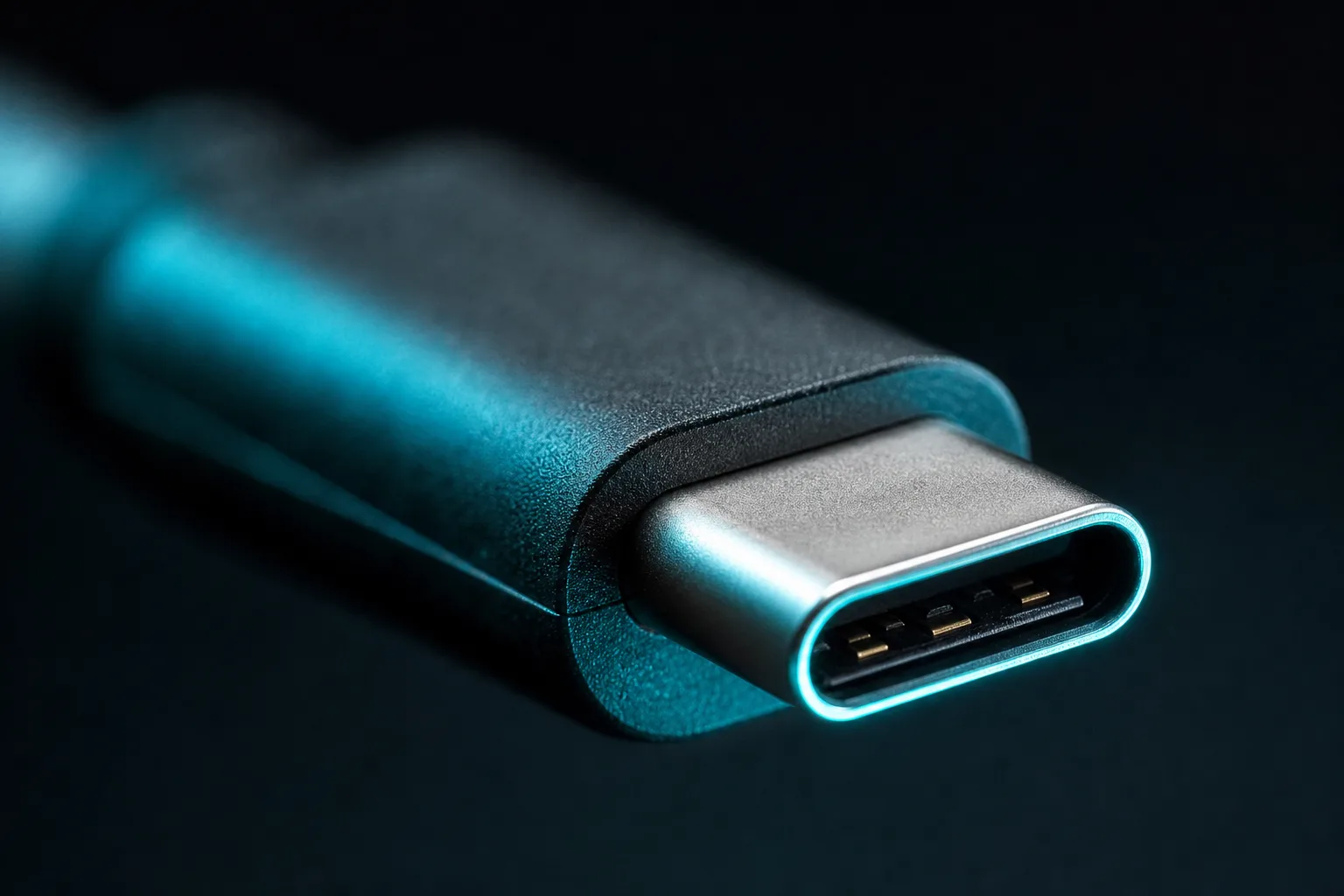
Your glasses need DisplayPort Alt Mode to exist. It is the sole mechanism that allows a USB-C port to push a raw video signal to micro-OLED panels without an intermediary app or active encoder. If your host device’s specification sheet does not explicitly promise “video out,” “DP Alt Mode,” or “DisplayPort over USB-C,” your glasses will show absolutely nothing.
Retailer links may earn us a commission — price approximations based on September 2026 Amazon observations; check retailer for current pricing.
01What USB-C actually carries: the electrical reality
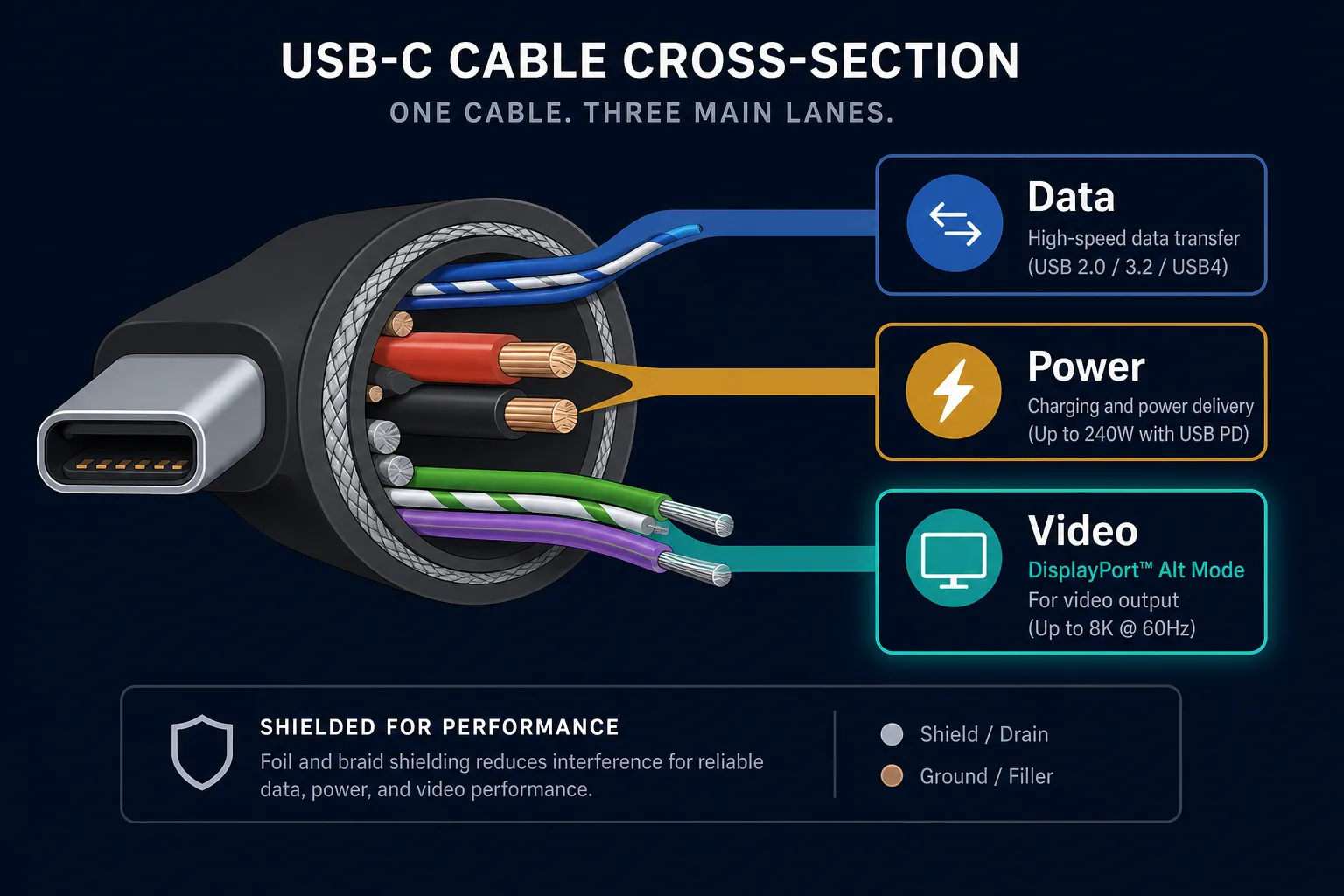
“USB-C” describes only the physical oval connector shape — it guarantees absolutely nothing about data throughput or video capability. Underneath that standardized shell, USB-C is an incredibly flexible electrical bus designed to carry three distinct types of traffic: low-speed digital data, incoming power delivery (up to 240W), and raw peripheral video signals.
The magic happens in DisplayPort Alternate Mode. Standard USB communication routes signals through a central controller chip that packages data into packets. Alt Mode essentially flips a hardware switch, rerouting four of the highly shielded differential wire pairs inside the cable straight to the host device’s GPU (Graphics Processing Unit). Once routed this way, the USB-C port stops acting like a computer data port and starts acting exactly like a mini-DisplayPort jack on a desktop motherboard.
Because the video signal travels natively over these dedicated wires without needing software translation or heavy CPU encoding, latency drops to imperceptible levels. This hardware-level bypass is precisely why smart glasses — which require pixel-perfect precision and sub-millisecond tracking response for 3DoF spatial anchoring — demand this direct conduit. OUR ANALYSIS
02Why plain USB-C data cannot run glasses
You cannot force display glasses to work using standard USB 2.0 or basic charging cables. Some buyers assume that because both devices share the same reversible plug, the connection is inherently mutually intelligible. It is not.
Micro-OLED panels inside mainstream AR glasses like the XREAL One or RayNeo Air 2 demand massive sustained bandwidth — typically dual-channel 10Gbps streams just to render uncompressed 1080p resolution per eye at a smooth 60 to 120 Hz refresh rate. Standard USB 2.0 bandwidth tops out at a theoretical 480 Mbps (actual throughput closer to 320 Mbps). Trying to shove two high-definition video feeds down a standard data pipe is akin to attempting to flood a swimming pool through a garden hose. The physical copper traces literally do not possess the capacity, which is why connecting a pair of micro-OLED glasses to a standard USB 2.0 port instantly results in a powered-off or black-screen state. MFR SPEC
03How to check YOUR device: spec-sheet detective work
Before purchasing smart glasses or attempting a setup, verify your host device possesses the electrical architecture to drive them. The presence of a USB-C port is a necessary precondition, but it is never sufficient proof. You must hunt for specific terminology buried in the manufacturer’s specification sheets, marketing PDFs, or detailed teardown analyses.
Terms that guarantee video output:
- “DisplayPort Alt Mode” — The gold-standard phrasing. Found on nearly all premium consumer electronics manufactured after 2018.
- “Video Out” / “Monitor Out” / “Desktop Mode” — Vendors often couch the capability behind marketing names (e.g., Samsung DeX, Motorola Ready For, Xiaomi Mi Desktop Mode).
- Thunderbolt / USB4 logos — Ports bearing the yellow lightning bolt (→ Thunderbolt) or “USB SS” (→ SuperSpeed USB 3.x+) universally inherit DisplayPort Alt Mode capability.
Operating systems behave differently here. macOS is forgiving: virtually every M-series and Intel MacBook equipped with Thunderbolt or USB4 ports supports DP Alt Mode out of the box. You simply plug the glasses in and the system detects a second monitor automatically. Windows laptops are fragmented. While recent Windows Copilot+ PCs heavily advertise native AI display chaining, legacy business chassis frequently mix fast video-capable USB-C ports alongside slow USB 2.0 ports intended solely for peripherals. Always cross-reference the port icons printed beside each physical slot on the laptop’s aluminum deck.
On the Linux side, fragmentation is severe. Wayland compositors historically struggled with hot-plugging alternate-mode peripherals, though Kernel 6.6+ has stabilized much of this. Enthusiast desktop builders must ensure motherboard rear I/O or front-panel headers explicitly support DisplayPort Alt Mode, as many high-speed data headers omit the necessary GPU routing required to transmit raw video frames.
For mobile devices, the Android ecosystem varies wildly based on SoC tier. Qualcomm’s Snapdragon 8 Gen series fully exposes DisplayPort Alt Mode when paired with flagship-grade silicon. MediaTek Dimensity chips historically lagged in native alt-mode support, relying instead on DisplayStream Compression (DSC) tricks that introduce minor latency penalties under heavy loads. If you are deploying a lightweight Android tablet as a portable driving rig, consult our comprehensive Android compatibility guide to verify specific model limitations.
Our pick
XREAL One
$399approx.
The safe default: sharp 50° display with spatial smarts built into the glasses.
Check price on AmazonRetailer links may earn us a commission — price approx., check retailer.
04The known traps: where devices lie
Marketing departments are experts at implying capabilities that hardware simply does not possess. Three major categories consistently trip up first-time AR buyers.
The iPhone Video Gap
Apple’s transition to USB-C in the iPhone 15 series caused enormous confusion. While the iPhone 15 Pro and Pro Max models received full Thunderbolt 3 speeds (40 Gbps) and native video out, base-model iPhones were relegated to USB 3 speeds (10 Gbps). More critically, the iPhone Air completely lacks video-out circuitry, remaining locked strictly to USB 2.0 data rates. Attempting to bridge an iPhone Air to smart glasses results in an immediate, unrecoverable black screen — no amount of buying better cables can force hardware that doesn’t exist. Our isolated iPhone compatibility analysis walks through the exact iPad bridging workarounds that occasionally surface as desperate lifeboats.
Consoles Are HDMI Purists
Both the PlayStation 5 and Xbox Series X|S feature USB-C ports on their lower decks. Gamers frequently discover these ports only when trying to charge accessories or perform maintenance resets. Consoles output video exclusively via traditional HDMI 2.1 transmitters. They fundamentally refuse to translate console game frames into USB-C DP Alt Mode signals. Consequently, users trying to run glasses off consoles must accept a conversion pipeline. See our dedicated console connectivity breakdown for the precise adapters required to translate the HDMI handshake into DP video.
Nintendo Switch 2 and Dock Class Power
Even devices that natively support DP Alt Mode encounter hard physical limits. Nintendo’s upcoming Switch 2 will utilize a USB-C port, but it locks video transmission exclusively within “TV Mode.” TV Mode only activates once the handheld detects roughly 20 volts of incoming power — the signature voltage of a standard dock. Ordinary unpowered hubs or slim charging bricks will supply adequate amperage to keep the system alive, but will fail to trigger the 20-volt handshake, effectively choking the video path. Navigating this requires specialized powered hubs. Review our exhaustive Switch 2 deep dive for the proprietary adapters that successfully inject the required power envelope.
Our pick
XREAL One
$399approx.
The safe default: sharp 50° display with spatial smarts built into the glasses.
Check price on AmazonRetailer links may earn us a commission — price approx., check retailer.
05The Fix When Your Device Lacks It: adapters & hubs
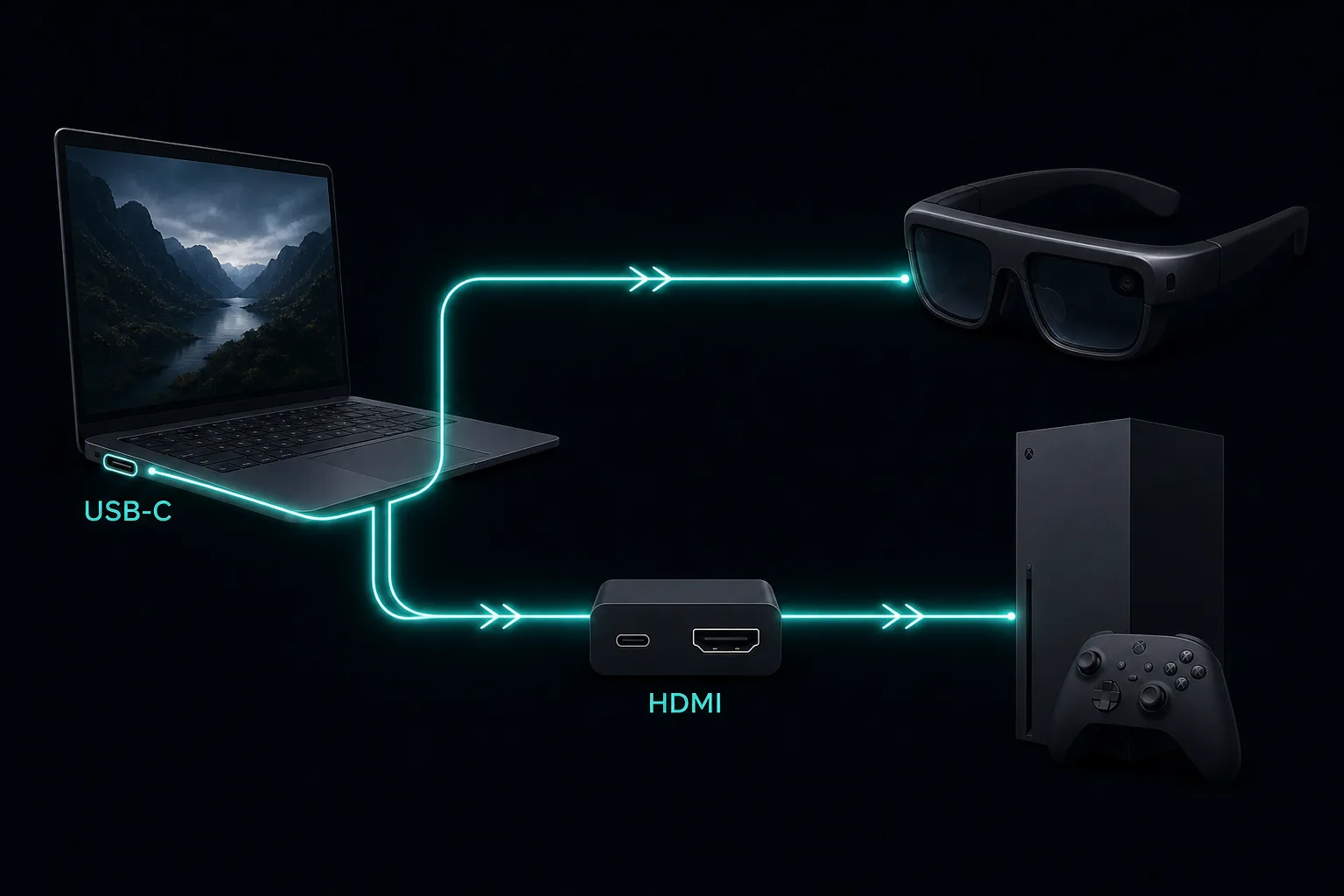
If your device passes the spec-sheet inspection, plug and play — the best display glasses all take a plain USB-C video feed. If your device fails — or if you are operating a PC that simply lacks available USB-C headers — you must introduce active translation hardware. This translates raw electrical signals, actively encoding and passing them across protocols.
HDMI-to-USB-C Conversion Adapters
These compact dongles are the primary interface between console-grade HDMI sources and display glasses. They extract the TMDS signal from an HDMI cable, decode it, and immediately retransmit it natively over DP Alt Mode lanes to your eyewear. They do not rely on the host’s CPU, meaning latency remains minimal even during fast-paced shooters or rhythm games. Based on September 2026 market observation, consumers gravitate heavily toward neutral third-party encoders like the Guermok HDMI adapter, which regularly appears hovering near $29.99 with strong ratings indicating widespread daily usage. Reputable entry-level units sitting comfortably between $24 and $30 yield approximately 4.2-star ratings with consistent monthly sales volumes exceeding 100 units.
Branded equivalents carrying XREAL or RayNeo certification typically command a premium — generally settling between $45 and $60 — but provide optimized HDCP decryption for copy-protected broadcast content and tighter integration with proprietary companion software utilities. Experienced tinkerers note that the underlying FPGA processing logic remains remarkably consistent across both tiers. Always prioritize adapters advertising explicit AR glasses compatibility. Budget generic encoders sometimes mishandle the wide dynamic range or chroma subsampling formats preferred by certain micro-OLED driver ICs, manifesting visually as rolling bars or washed-out contrast ratios at maximum brightness settings.
Powered DisplayPort Hubs
Hubs solve a different class of problem: simultaneous multi-port utility combined with power injection. If you are running smart glasses alongside a mechanical keyboard, mouse, and Ethernet cable from a single MacBook or Windows ultrabook, a robust docking station becomes essential. Furthermore, powered hubs featuring integrated batteries (such as the well-known XREAL NEO) elegantly solve two pain points simultaneously: they fulfill the 20-volt TV-mode trigger mandate required by Nintendo consoles, while concurrently providing trickle-charging capability for the host laptop during extended productivity workflows.
These hubs integrate a built-in lithium-ion battery capable of delivering roughly 10,000 mAh of reserve power. Market pricing for substantial 45W to 65W active hubs ranges broadly between $50 and $99 depending on construction quality and auxiliary port counts. Third-party counterparts lacking integrated storage batteries force users to constantly chase wall outlets, negating the very portability benefits that smart glasses originally promised. Which pairs these adapters and hubs actually unlock — and what each currently costs — lives in our display glasses ranking; for the console path specifically, the XREAL vs VITURE comparison shows what each ecosystem’s adapters and hubs buy you.
06Common “no signal” failure modes
Connectivity troubleshooting accounts for the largest volume of customer support queries in the wearable computing space. Before returning hardware or demanding refunds, systematically isolate these four frequent culprits.
Typical Causes
- Cable Misidentification: Using a charge-only cable found in random electronics bins. Ensure the cable is rated USB 3.1 Gen 2 (10 Gbps) or higher.
- HDCP Handshake Failures: Consoles enforce High-bandwidth Digital Content Protection. Some generic HDMI adapters lack the licensed decoder to pass copyrighted video streams cleanly.
- Bandwidth Bottlenecks: Older USB-C controllers splitting resources across multiple downstream ports starve the primary video lane.
Verification Steps
- Physically swap the supplied tether for a verified high-speed data cable rated for 10Gbps video transport.
- Disconnect every other peripheral from the chain to isolate the primary video transmission pathway.
- Confirm the source device’s graphics drivers are updated; occasionally dormant Windows GPU stacks refuse to handshake upon fresh boot cycles.
Addressing the most frequent misconception encountered during research phases: individuals performing preliminary searches for “gaming glasses” are routinely routed toward inexpensive blue-light-filtering prescription substitutes priced around $20. It is crucial to distinguish clearly between optical filters designed purely to reduce retinal fatigue during extended screen exposure, and genuine micro-OLED display modules costing upwards of $400. The former provide zero computational imaging or augmented reality functionality and do not interact with any electronic video protocols whatsoever. Other lesser-known omissions include certain automotive infotainment systems utilizing USB-C strictly for digital audio extraction via TOSLINK emulation — connecting a display module expecting visual telemetry to an audio-dedicated port yields no result.
Decoded verdict
The technical anchor settles the compatibility debate
DisplayPort Alt Mode remains the foundational linchpin of the entire tethered wearable computing ecosystem. Without it, micro-OLED panels remain dormant bricks regardless of processor horsepower or software ambition. By understanding the exact electrical pathways involved — separating marketing promises from physical copper realities — buyers can navigate confidently through the labyrinth of incompatible device architectures.
Whether you require a simple replacement 10Gbps cable for a Steam Deck, an HDMI translator brick for a next-generation console, or a fully integrated powered docking solution for a traveling Windows ultrabook, knowing precisely where your setup currently sits prevents wasted investment and hardware frustration. Always verify your host hardware against the architectural requirements before committing capital.
Explore related compatibility depths across the ecosystem: MacBook configurations, Windows OEM pitfalls, or test your exact combination using our interactive device finder tool.